

The 10 most common livestreaming mistakes companies make
Communication that makes an impact
The 10 most common livestreaming mistakes companies make
The livestream starts—and suddenly, there’s no sound. The presentation freezes. Or worse: external viewers gain access to internal content. These are exactly the kinds of scenarios many corporate communications teams worry about.
Because livestreams happen in real time, mistakes can’t simply be fixed afterward. That makes it all the more important to understand common risks early—and know how to avoid them.
To help you run your next livestream smoothly, let’s take a look at the most common pitfalls—and how to handle them with confidence.
1. No clear objective: Why are you livestreaming in the first place?

A livestream is often set up quickly—but without a clearly defined goal. And that’s where one of the most common mistakes begins: if you don’t define why you’re streaming, the entire format lacks direction.
The result? Content feels unfocused, key messages don’t land, and viewers drop off early.
Typical signs
- The livestream lacks a clear narrative
- Content feels pieced together rather than structured
- Viewers don’t know what they’re supposed to take away
In corporate communications, this is especially critical. Whether it’s a town hall, an internal update, or an external event—every format should serve a clear purpose.
How to do it better
- Define a clear objective upfront (e.g. inform, engage, train)
- Identify your target audience (employees, leadership, customers)
- Set measurable KPIs (e.g. attendance rate, engagement, watch time)
Pro tip:
If you can’t summarize your objective in one sentence, it’s not clear enough.
2. Lack of preparation: a livestream is not a spontaneous video

A common misconception is that because livestreams feel spontaneous, they can be executed spontaneously. In reality, this is exactly what leads to problems.
Unlike pre-recorded videos, livestreams don’t offer a second take. Whatever goes wrong is visible to your audience in real time. That’s why proper preparation is essential—yet often underestimated.
In many organizations, there’s a lack of alignment beforehand: Who is responsible for what? How will the stream flow? What happens if something doesn’t go according to plan?
The result: uncertainty within the team, awkward transitions, and a livestream that feels unprofessional—even if the content itself is strong.
Typical mistakes
- no or only superficial rehearsal
- unclear roles (e.g. host, technical lead, production)
- no clear run of show or last-minute changes during the stream
- no preparation for potential technical issues
How to do it better
- Create a clear run of show with timing and responsibilities
- Define fixed roles within the team (e.g. host, technical support, production)
- Conduct a full technical and content rehearsal in advance
- Build in buffer time for transitions and unexpected situations
Pro tip:
Run through the entire livestream once in advance—including presentations, media assets, and handovers. This helps identify issues before they become visible live.
3. Using a conferencing tool as a livestreaming solution
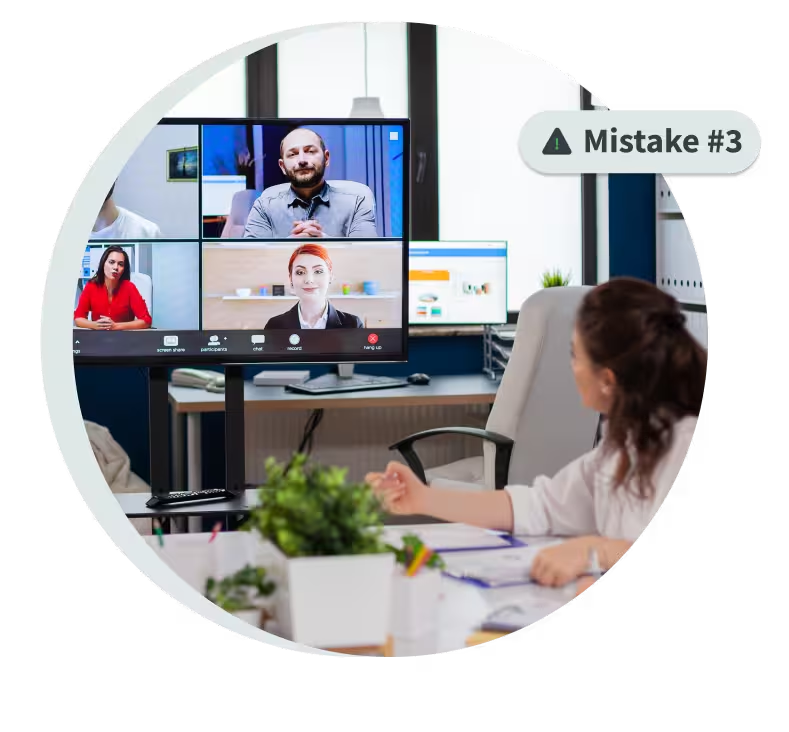
Many companies rely on tools they already use for livestreaming—typically video conferencing solutions like Microsoft Teams or Zoom.
While this may seem efficient at first, it often leads to significant limitations in practice. That’s because conferencing tools are designed for meetings—not for scalable livestreaming.
As soon as you move beyond small group settings or aim to deliver a more professional event experience, these tools quickly reach their limits.
Typical problems
- limited participant capacity or unstable performance
- lack of scalability for larger audiences
- limited interaction features
- little to no options for branding or a consistent event experience
- limited control over access and content distribution
How to do it better
- Use conferencing tools for what they’re built for: meetings—not large-scale events
- For livestreams, choose a dedicated streaming platform
- Evaluate your requirements early (e.g. reach, interactivity, security)
- Combine production tools and streaming infrastructure where needed
Pro tip:
If your format feels more like an event than a meeting, it’s time to switch from video conferencing to livestreaming.
4. Poor audio and video quality
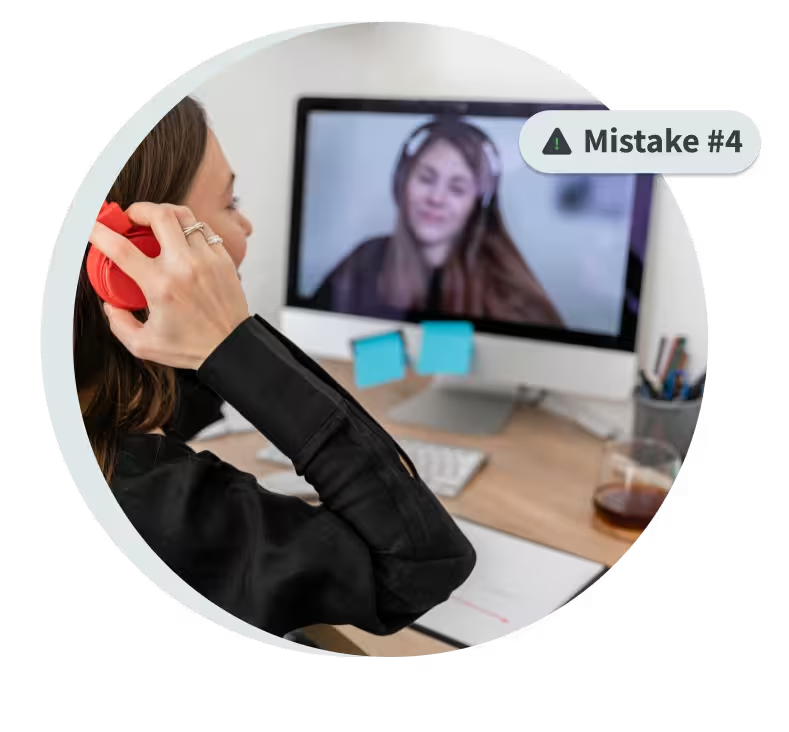
The content is solid, the presentation is ready—and still, viewers drop off. The reason is often surprisingly simple: the technical quality doesn’t hold up.
When it comes to livestreaming, audiences have very little tolerance for disruptions. While minor visual issues might be acceptable, poor audio almost always leads to viewers leaving the stream.
In a corporate context, this has a double impact. It not only affects understanding, but also the perceived professionalism and credibility of your communication.
Typical problems
- audio is too quiet, echoing, or distorted
- speakers are hard to understand
- poor or inconsistent lighting
- blurry or unstable video
- lagging streams due to weak internet connection
How to do it better
- Use external microphones instead of built-in laptop audio
- Choose a quiet environment with minimal background noise
- Ensure consistent and sufficient lighting
- Use a stable internet connection (ideally wired instead of Wi-Fi)
- Test audio and video under real conditions in advance
Pro tip:
Invest in good audio first—it has the biggest impact on the viewer experience.
5. Lack of audience interaction

The livestream is running—but no one is engaging. No questions, no reactions, no real participation. For many corporate streams, this is the reality.
The reason? The livestream is treated like a traditional presentation—one-way instead of interactive. But that’s exactly where livestreaming differs from other formats. Today’s audiences expect to be involved and to actively participate.
When interaction is missing, attention drops quickly. Especially in longer formats like town halls or internal updates, viewers may mentally check out—even if they’re still technically watching.
Typical mistakes
- no opportunity for questions or feedback
- chat or Q&A features are not actively used
- interaction exists but is poorly moderated
- the audience is not directly addressed
How to do it better
- Plan dedicated interaction moments (e.g. Q&A sessions, polls)
- Actively use live chat or audience engagement tools
- Assign a moderator to manage and structure audience input
- Address your audience directly and involve them intentionally
Pro tip:
Build in regular interaction—especially in longer formats, roughly every 15–20 minutes. Even simple Q&A segments or quick polls can significantly boost engagement.
6. Ignoring the target audience
The livestream runs smoothly from a technical perspective—but still fails to deliver the desired impact. A common reason: the content isn’t tailored to the audience.
A livestream for employees works very differently from an external event for customers or partners. Yet content is often too generic or shaped from an internal perspective, without fully considering the needs of the audience.
The result: content feels too complex, too long, or simply not relevant—and attention drops.
In corporate communications, this is critical. It’s not just about sharing information, but about presenting it in a way that is clear, relevant, and tailored to the audience.
Typical mistakes
- overly long presentations without clear structure
- too much detail without clear prioritization
- the wrong tone (too technical, too abstract, or too promotional)
- no adaptation for different audience groups
How to do it better
- Clearly define who the livestream is for
- Focus on the most important messages
- Structure content into clear segments with visual support
- Adjust tone and level of detail to your audience
Pro tip:
Ask yourself: What is truly relevant for my audience—and what isn’t? Less content, delivered clearly, is often far more effective.
7. Lack of a scalable streaming infrastructure
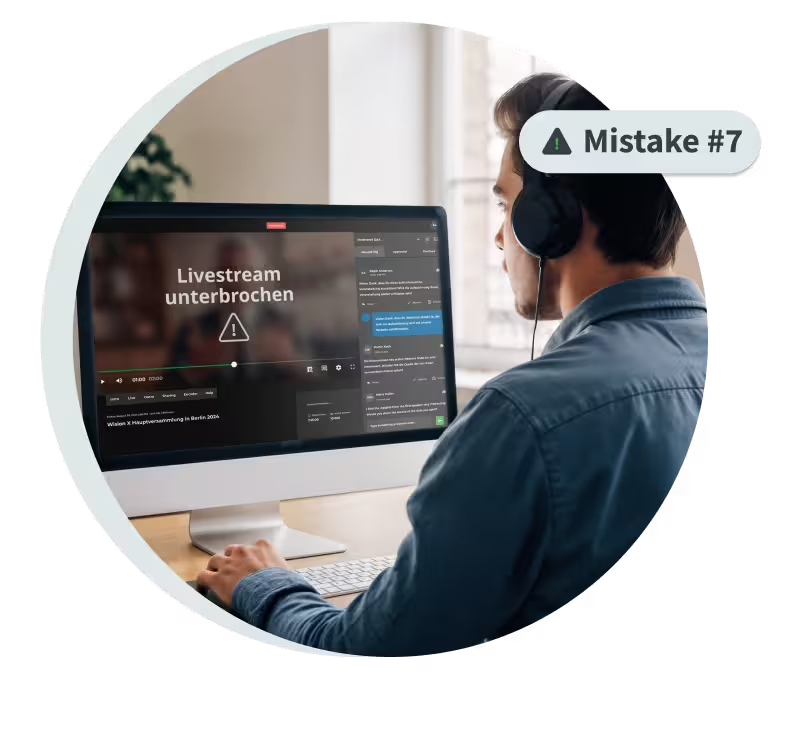
The livestream is well planned, the content is ready—and then the stream crashes under the load. A scenario that still happens frequently in larger corporate events—and is often underestimated.
Many companies underestimate how demanding livestreaming can be from a technical perspective. Unlike on-demand video, livestreams often involve hundreds or even thousands of viewers accessing the same content simultaneously.
If the infrastructure isn’t built for that, problems are almost inevitable—and they’re visible to everyone.
Typical problems
- long loading times or difficulty starting the stream
- buffering or delayed playback
- complete outages under high viewer load
- inconsistent quality depending on location
For global formats like town halls or external events, this isn’t just frustrating—it can also undermine trust in your communication.
How to do it better
- Use a scalable livestreaming platform
- Leverage CDN-based delivery for stable global performance
- Plan for peak loads—not just average viewership
- Test your setup under realistic conditions in advance
Expert tip
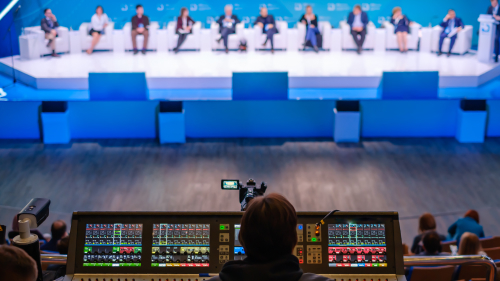
For large-scale events—such as global town halls or external livestreams with thousands of viewers—many companies rely on professional production teams to handle direction, camera work, and live mixing.
Pro tip:
Always plan for more viewers than you expect—not fewer.
8. Underestimating security and access control
Internal livestreams often involve more than just content—they involve confidential information. Yet in practice, security is often considered too late in the process.
Formats like town halls, strategy updates, or executive communications frequently include sensitive topics. If the livestream isn’t properly secured, this information can easily reach audiences it was never intended for.
And in many cases, the risk is underestimated—until it becomes a real issue.
Typical mistakes
- livestreams are publicly accessible or shared via simple links
- no authentication for viewers
- no restrictions for specific groups or departments
- uncontrolled sharing of access links
How to do it better
- Use Single Sign-on (SSO) or corporate login systems
- Implement secure livestreams with clearly defined access rights
- Restrict access to specific teams, departments, or user groups
- Integrate livestreams into secure environments such as your intranet
Pro tip:
Treat security as part of your planning from the very beginning—not as a last-minute consideration.
9. The livestream ends—and its potential goes unused
The livestream is over, the event was a success—and that’s it? This is a common mistake.
Every livestream creates valuable content that can be used far beyond the live moment. Yet in practice, this potential is often overlooked.
The result: content is used once and then disappears—despite the fact that it could easily be repurposed, for example for employees who couldn’t attend live or for other communication formats.
Typical mistakes
- no on-demand version available after the event
- content is not reused or repurposed
- no adaptation for other channels
- no integration into internal knowledge platforms
How to do it better
- Make the livestream available on demand after the event
- Create highlight clips for internal or external communication
- Repurpose content for multiple use cases (e.g. training, updates)
- Integrate videos into existing platforms (e.g. intranet or media library)
Pro tip:
Plan how you’ll reuse your livestream content before the event—not after.
10. No analysis or optimization

After the livestream, many companies move straight on to the next task. What’s often missing is a structured review of how the stream actually performed.
This is where significant potential is lost. Livestreams provide valuable data on how content is consumed and where improvements are needed. If you don’t use these insights, you miss the opportunity to continuously improve future formats.
For recurring formats like town halls or event series, this can have a major long-term impact.
Typical mistakes
- no analysis of viewership or engagement
- no insight into drop-off rates or watch time
- learnings are not documented or shared
- no continuous optimization of future streams
How to do it better
- Use video analytics to understand viewer behavior
- Analyze key metrics such as attendance, watch time, and interaction
- Turn insights into concrete improvements for future livestreams
- Establish a simple feedback and optimization process
Pro tip:
Treat every livestream as a learning opportunity—not a one-off event.
Conclusion: Great livestreams don’t happen by accident
Livestreaming in enterprises today is more than just “going live.” If you want to truly engage employees, communicate messages clearly, and create meaningful interaction, you need a clear strategy, the right tools, and well-defined processes.
The good news: most mistakes can be avoided with relatively little effort—if you know what to look for and address them early.
Companies that continuously improve their livestreaming approach benefit from stronger communication, higher engagement, and more professional event experiences.
Because in the end, it’s not just about going live—it’s about creating lasting impact.
.avif)


.avif)
Our Speakers
The livestream starts—and suddenly, there’s no sound. The presentation freezes. Or worse: external viewers gain access to internal content. These are exactly the kinds of scenarios many corporate communications teams worry about.
Because livestreams happen in real time, mistakes can’t simply be fixed afterward. That makes it all the more important to understand common risks early—and know how to avoid them.
To help you run your next livestream smoothly, let’s take a look at the most common pitfalls—and how to handle them with confidence.
1. No clear objective: Why are you livestreaming in the first place?
A livestream is often set up quickly—but without a clearly defined goal. And that’s where one of the most common mistakes begins: if you don’t define why you’re streaming, the entire format lacks direction.
The result? Content feels unfocused, key messages don’t land, and viewers drop off early.
Typical signs
- The livestream lacks a clear narrative
- Content feels pieced together rather than structured
- Viewers don’t know what they’re supposed to take away
In corporate communications, this is especially critical. Whether it’s a town hall, an internal update, or an external event—every format should serve a clear purpose.
How to do it better
- Define a clear objective upfront (e.g. inform, engage, train)
- Identify your target audience (employees, leadership, customers)
- Set measurable KPIs (e.g. attendance rate, engagement, watch time)
Pro tip:
If you can’t summarize your objective in one sentence, it’s not clear enough.
2. Lack of preparation: a livestream is not a spontaneous video
A common misconception is that because livestreams feel spontaneous, they can be executed spontaneously. In reality, this is exactly what leads to problems.
Unlike pre-recorded videos, livestreams don’t offer a second take. Whatever goes wrong is visible to your audience in real time. That’s why proper preparation is essential—yet often underestimated.
In many organizations, there’s a lack of alignment beforehand: Who is responsible for what? How will the stream flow? What happens if something doesn’t go according to plan?
The result: uncertainty within the team, awkward transitions, and a livestream that feels unprofessional—even if the content itself is strong.
Typical mistakes
- no or only superficial rehearsal
- unclear roles (e.g. host, technical lead, production)
- no clear run of show or last-minute changes during the stream
- no preparation for potential technical issues
How to do it better
- Create a clear run of show with timing and responsibilities
- Define fixed roles within the team (e.g. host, technical support, production)
- Conduct a full technical and content rehearsal in advance
- Build in buffer time for transitions and unexpected situations
Pro tip:
Run through the entire livestream once in advance—including presentations, media assets, and handovers. This helps identify issues before they become visible live.
3. Using a conferencing tool as a livestreaming solution
Many companies rely on tools they already use for livestreaming—typically video conferencing solutions like Microsoft Teams or Zoom.
While this may seem efficient at first, it often leads to significant limitations in practice. That’s because conferencing tools are designed for meetings—not for scalable livestreaming.
As soon as you move beyond small group settings or aim to deliver a more professional event experience, these tools quickly reach their limits.
Typical problems
- limited participant capacity or unstable performance
- lack of scalability for larger audiences
- limited interaction features
- little to no options for branding or a consistent event experience
- limited control over access and content distribution
How to do it better
- Use conferencing tools for what they’re built for: meetings—not large-scale events
- For livestreams, choose a dedicated streaming platform
- Evaluate your requirements early (e.g. reach, interactivity, security)
- Combine production tools and streaming infrastructure where needed
Pro tip:
If your format feels more like an event than a meeting, it’s time to switch from video conferencing to livestreaming.
4. Poor audio and video quality
The content is solid, the presentation is ready—and still, viewers drop off. The reason is often surprisingly simple: the technical quality doesn’t hold up.
When it comes to livestreaming, audiences have very little tolerance for disruptions. While minor visual issues might be acceptable, poor audio almost always leads to viewers leaving the stream.
In a corporate context, this has a double impact. It not only affects understanding, but also the perceived professionalism and credibility of your communication.
Typical problems
- audio is too quiet, echoing, or distorted
- speakers are hard to understand
- poor or inconsistent lighting
- blurry or unstable video
- lagging streams due to weak internet connection
How to do it better
- Use external microphones instead of built-in laptop audio
- Choose a quiet environment with minimal background noise
- Ensure consistent and sufficient lighting
- Use a stable internet connection (ideally wired instead of Wi-Fi)
- Test audio and video under real conditions in advance
Pro tip:
Invest in good audio first—it has the biggest impact on the viewer experience.
5. Lack of audience interaction
The livestream is running—but no one is engaging. No questions, no reactions, no real participation. For many corporate streams, this is the reality.
The reason? The livestream is treated like a traditional presentation—one-way instead of interactive. But that’s exactly where livestreaming differs from other formats. Today’s audiences expect to be involved and to actively participate.
When interaction is missing, attention drops quickly. Especially in longer formats like town halls or internal updates, viewers may mentally check out—even if they’re still technically watching.
Typical mistakes
- no opportunity for questions or feedback
- chat or Q&A features are not actively used
- interaction exists but is poorly moderated
- the audience is not directly addressed
How to do it better
- Plan dedicated interaction moments (e.g. Q&A sessions, polls)
- Actively use live chat or audience engagement tools
- Assign a moderator to manage and structure audience input
- Address your audience directly and involve them intentionally
Pro tip:
Build in regular interaction—especially in longer formats, roughly every 15–20 minutes. Even simple Q&A segments or quick polls can significantly boost engagement.
6. Ignoring the target audience
The livestream runs smoothly from a technical perspective—but still fails to deliver the desired impact. A common reason: the content isn’t tailored to the audience.
A livestream for employees works very differently from an external event for customers or partners. Yet content is often too generic or shaped from an internal perspective, without fully considering the needs of the audience.
The result: content feels too complex, too long, or simply not relevant—and attention drops.
In corporate communications, this is critical. It’s not just about sharing information, but about presenting it in a way that is clear, relevant, and tailored to the audience.
Typical mistakes
- overly long presentations without clear structure
- too much detail without clear prioritization
- the wrong tone (too technical, too abstract, or too promotional)
- no adaptation for different audience groups
How to do it better
- Clearly define who the livestream is for
- Focus on the most important messages
- Structure content into clear segments with visual support
- Adjust tone and level of detail to your audience
Pro tip:
Ask yourself: What is truly relevant for my audience—and what isn’t? Less content, delivered clearly, is often far more effective.
7. Lack of a scalable streaming infrastructure
The livestream is well planned, the content is ready—and then the stream crashes under the load. A scenario that still happens frequently in larger corporate events—and is often underestimated.
Many companies underestimate how demanding livestreaming can be from a technical perspective. Unlike on-demand video, livestreams often involve hundreds or even thousands of viewers accessing the same content simultaneously.
If the infrastructure isn’t built for that, problems are almost inevitable—and they’re visible to everyone.
Typical problems
- long loading times or difficulty starting the stream
- buffering or delayed playback
- complete outages under high viewer load
- inconsistent quality depending on location
For global formats like town halls or external events, this isn’t just frustrating—it can also undermine trust in your communication.
How to do it better
- Use a scalable livestreaming platform
- Leverage CDN-based delivery for stable global performance
- Plan for peak loads—not just average viewership
- Test your setup under realistic conditions in advance
Expert tip
For large-scale events—such as global town halls or external livestreams with thousands of viewers—many companies rely on professional production teams to handle direction, camera work, and live mixing.
Pro tip:
Always plan for more viewers than you expect—not fewer.
8. Underestimating security and access control
Internal livestreams often involve more than just content—they involve confidential information. Yet in practice, security is often considered too late in the process.
Formats like town halls, strategy updates, or executive communications frequently include sensitive topics. If the livestream isn’t properly secured, this information can easily reach audiences it was never intended for.
And in many cases, the risk is underestimated—until it becomes a real issue.
Typical mistakes
- livestreams are publicly accessible or shared via simple links
- no authentication for viewers
- no restrictions for specific groups or departments
- uncontrolled sharing of access links
How to do it better
- Use Single Sign-on (SSO) or corporate login systems
- Implement secure livestreams with clearly defined access rights
- Restrict access to specific teams, departments, or user groups
- Integrate livestreams into secure environments such as your intranet
Pro tip:
Treat security as part of your planning from the very beginning—not as a last-minute consideration.
9. The livestream ends—and its potential goes unused
The livestream is over, the event was a success—and that’s it? This is a common mistake.
Every livestream creates valuable content that can be used far beyond the live moment. Yet in practice, this potential is often overlooked.
The result: content is used once and then disappears—despite the fact that it could easily be repurposed, for example for employees who couldn’t attend live or for other communication formats.
Typical mistakes
- no on-demand version available after the event
- content is not reused or repurposed
- no adaptation for other channels
- no integration into internal knowledge platforms
How to do it better
- Make the livestream available on demand after the event
- Create highlight clips for internal or external communication
- Repurpose content for multiple use cases (e.g. training, updates)
- Integrate videos into existing platforms (e.g. intranet or media library)
Pro tip:
Plan how you’ll reuse your livestream content before the event—not after.
10. No analysis or optimization
After the livestream, many companies move straight on to the next task. What’s often missing is a structured review of how the stream actually performed.
This is where significant potential is lost. Livestreams provide valuable data on how content is consumed and where improvements are needed. If you don’t use these insights, you miss the opportunity to continuously improve future formats.
For recurring formats like town halls or event series, this can have a major long-term impact.
Typical mistakes
- no analysis of viewership or engagement
- no insight into drop-off rates or watch time
- learnings are not documented or shared
- no continuous optimization of future streams
How to do it better
- Use video analytics to understand viewer behavior
- Analyze key metrics such as attendance, watch time, and interaction
- Turn insights into concrete improvements for future livestreams
- Establish a simple feedback and optimization process
Pro tip:
Treat every livestream as a learning opportunity—not a one-off event.
Conclusion: Great livestreams don’t happen by accident
Livestreaming in enterprises today is more than just “going live.” If you want to truly engage employees, communicate messages clearly, and create meaningful interaction, you need a clear strategy, the right tools, and well-defined processes.
The good news: most mistakes can be avoided with relatively little effort—if you know what to look for and address them early.
Companies that continuously improve their livestreaming approach benefit from stronger communication, higher engagement, and more professional event experiences.
Because in the end, it’s not just about going live—it’s about creating lasting impact.

Our Speakers
Voices from our customers





.avif)

.avif "Corporate Communications 2027: Agentic AI Webinar")