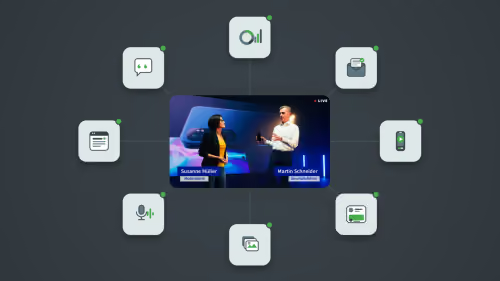



OneComms Pro

Corporate Communications – intelligently orchestrated

OneComms Pro connects your communication processes in one seamless, AI-powered workflow – from the core message and stakeholder reviews to consistent communication assets. For faster communication with less manual effort.
Book a demo
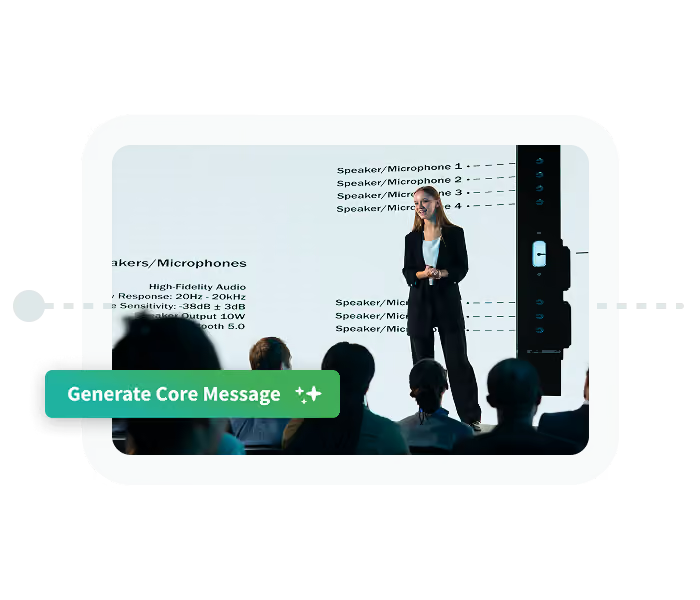
Communications team setting up a campaign in OneComms Pro and generating a core message for agent review
Benefits

From manual coordination to intelligent workflows

The real complexity of Corporate Communications rarely lies in creating the first draft. It begins when messages need to be aligned, reviewed, and adapted for different audiences and channels.

OneComms Pro brings these steps together in one connected workflow, supporting your team where communication processes take up the most time and manual effort today.

Icon representing measurable communication impact

Get to aligned messages faster

Bring relevant stakeholder perspectives into the process early and identify potential concerns before they lead to additional review cycles.
Icon representing communication assets in multiple formats: image, audio, and video

Stay consistent across every asset

Use an aligned core message as the foundation for all your communication assets, keeping key messages, facts, and tone consistent throughout.
Icon representing a core message distributed across channels

Create more content from one aligned message

Build different communication assets from your core message and efficiently adapt content to different formats and requirements.
Icon representing AI-powered communication workflows

Bring expertise directly into the process

Use specialized stakeholder agents to incorporate relevant perspectives and requirements – from Legal and HR to Leadership and Brand.
Icon representing stakeholder perspectives in the communication process

Collaborate better without giving up control

Bring creation, review, and revision together in one end-to-end process on a shared platform. Your team decides which recommendations to adopt and when content is ready to move forward.
Icon representing automated communication workflows

Connect knowledge and tools flexibly

Configure skills, roles, and organization-specific requirements, and flexibly connect relevant knowledge sources and external tools. This allows OneComms Pro to fit into your existing communications environment.
Use Cases

OneComms Pro in action

Whether you’re communicating sensitive changes, internal developments, or external announcements, Corporate Communications needs to bring together different stakeholders, audiences, and formats.

OneComms Pro helps your team manage these processes in a structured way – from a shared core message and stakeholder reviews to the communication assets you need.
Woman at desk video conferencing on computer, with event, webinar, and conference labels beside her screen.

Product and company announcements

New products, partnerships, and company news need to reach external audiences quickly – with a clear message across every relevant channel. OneComms Pro helps you turn an aligned core message into consistent content for the press, corporate channels, and other key audiences.

Corporate Comms · Leadership · Marketing · Brand → Core Message & Review → Press Release · Corporate Website · LinkedIn · Media Briefing · Intranet · …

Middle-aged man speaking into a microphone at an indoor event with blurred lights in background.

Leadership changes

Changes in leadership need to be communicated carefully across internal and external audiences – often under significant time pressure and with many stakeholders involved. OneComms Pro brings relevant perspectives into the review process early and creates a shared foundation for all communication activities.

Leadership · HR · Supervisory Board → Core Message & Review → Press Release · LinkedIn · Intranet · Talking Points · Welcome Video · …
Woman at desk video conferencing on computer, with event, webinar, and conference labels beside her screen.

Change communication

Organizational change raises questions among employees and needs to be communicated clearly across different teams and audiences. OneComms Pro helps you bring relevant perspectives into the process early and turn a shared core message into audience-specific communications throughout the change process.

Leadership · Corporate Comms · HR → Core Message & Review → Leadership Talking Points · Intranet · All-Hands · Email · Q&A · Video · …

Woman at desk video conferencing on computer, with event, webinar, and conference labels beside her screen.

Market and local communications

Core messages need to reach different markets and local teams quickly and consistently. OneComms Pro helps you align content centrally and adapt it for different countries, locations, audiences, and external channels.

Corporate Comms · Marketing · Country Teams → Core Message & Review → Website · Social Media · Newsletter · POS Communications · Video · …
How OneComms Pro works

From core message to aligned communications
OneComms Pro guides your team through the communication process step by step. Specialized agents provide support where their perspective is needed, while your team remains in control at every stage.
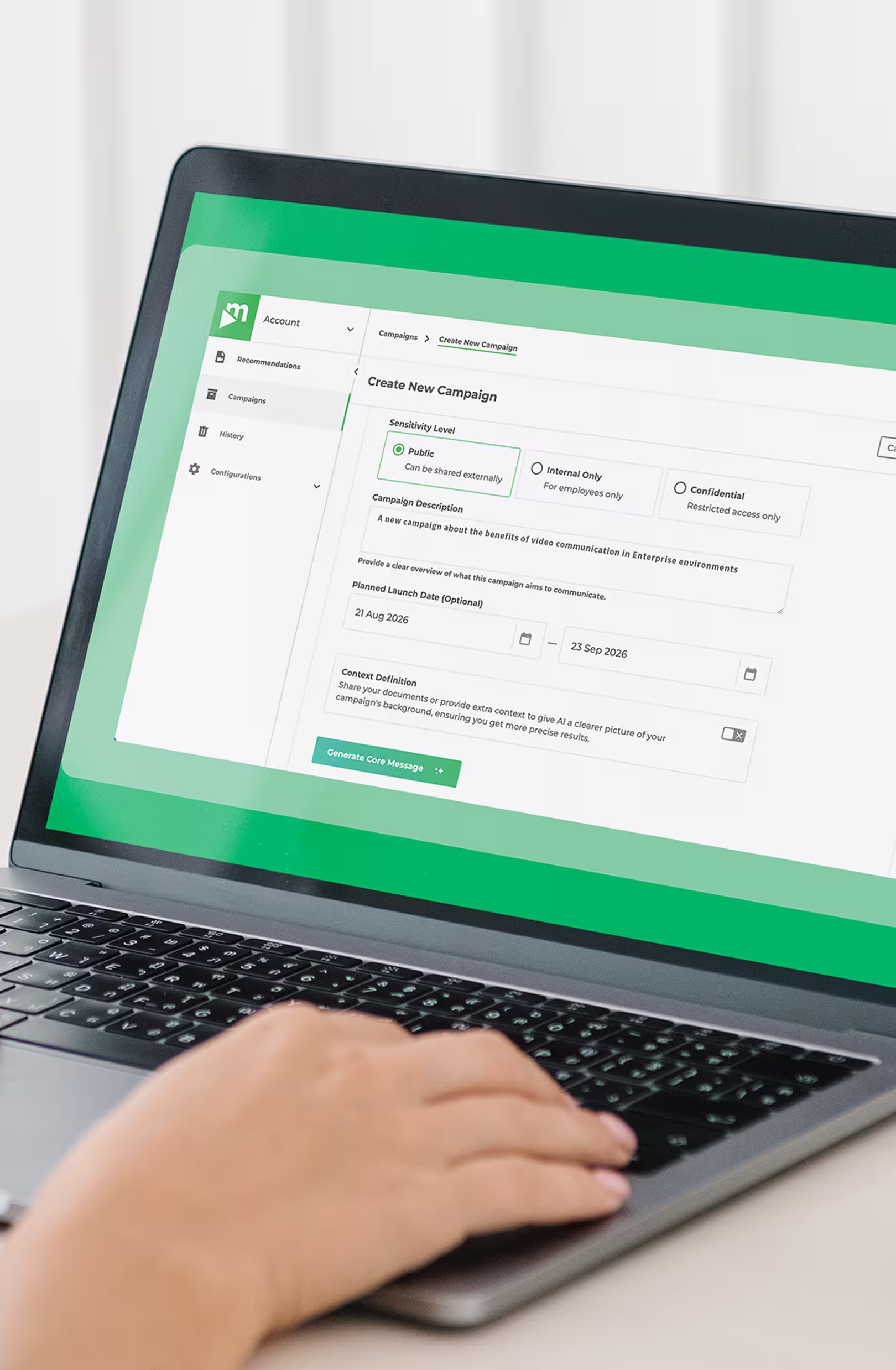
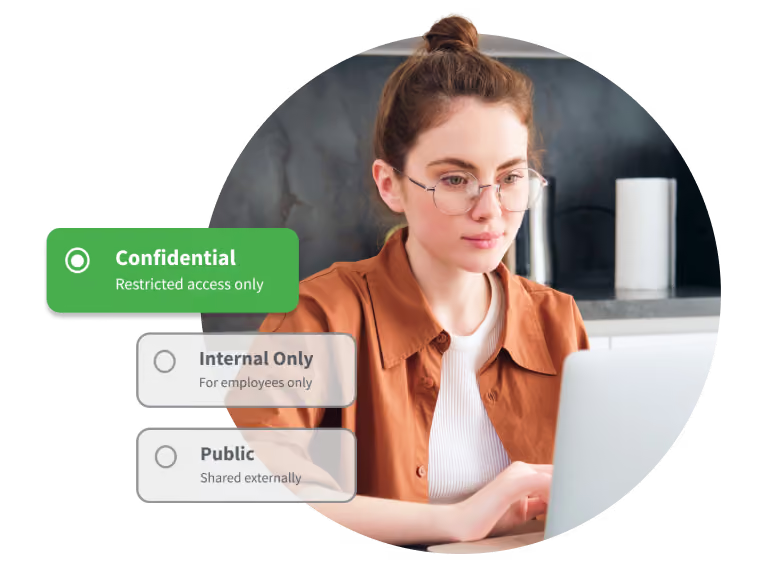
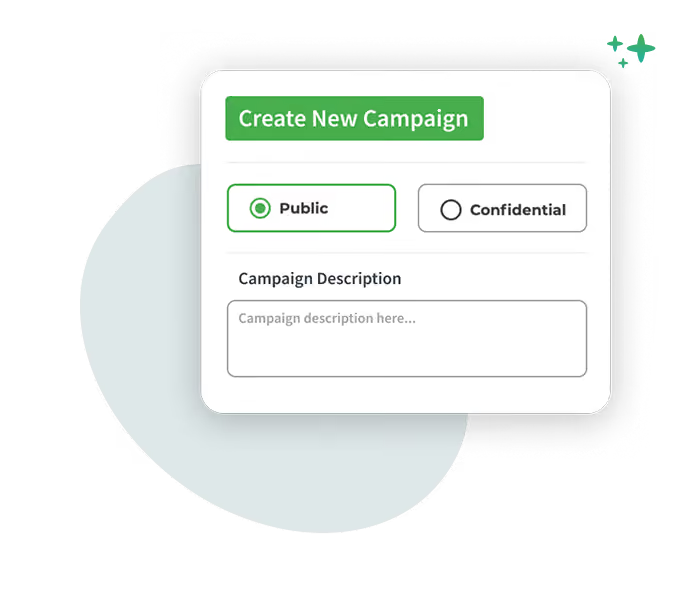
Interface for creating a new campaign with public or confidential options and a description box.
01
Set up your campaign
Define the purpose, objectives, audiences, and relevant context as a shared foundation for your communications.
02
Develop your core message
Create the central message that guides all subsequent communications.
Smiling woman with glasses and headphones typing on a laptop near a window and plant.
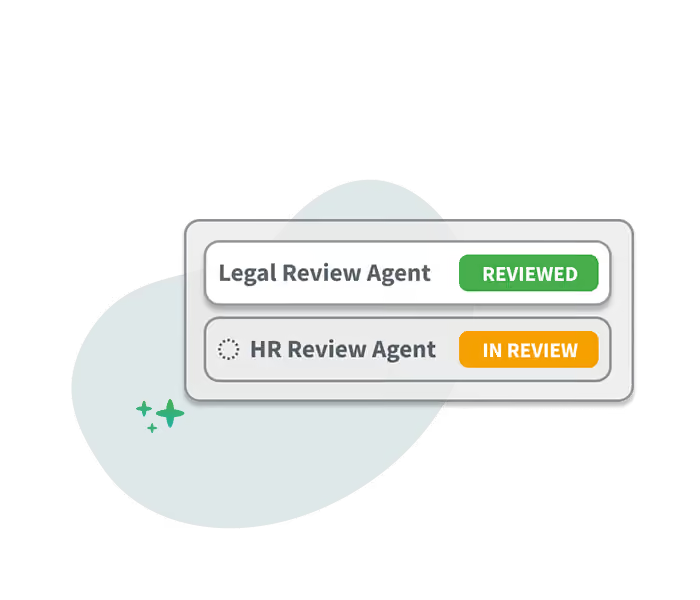
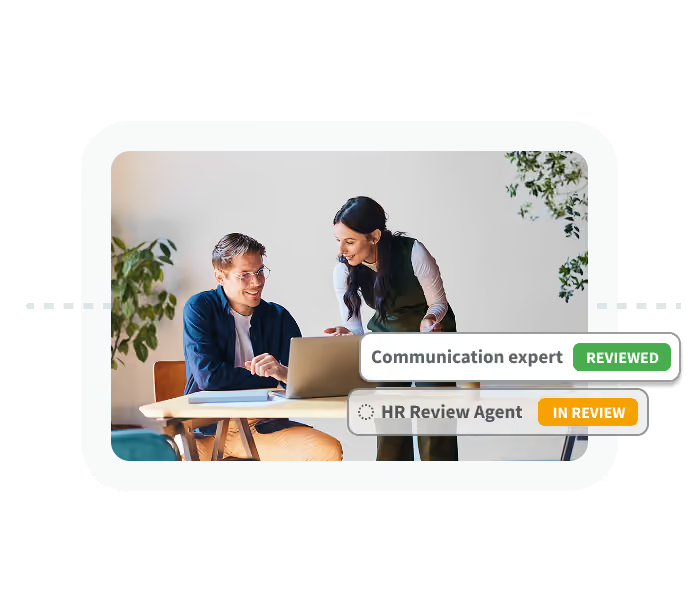
Two review agent statuses: Legal Review Agent marked reviewed, HR Review Agent marked in review with spinner.
03
Bring in stakeholder perspectives
Specialized agents review the core message from perspectives such as Legal, HR, Leadership, or Brand, surfacing potential concerns and areas for improvement early in the process.
04
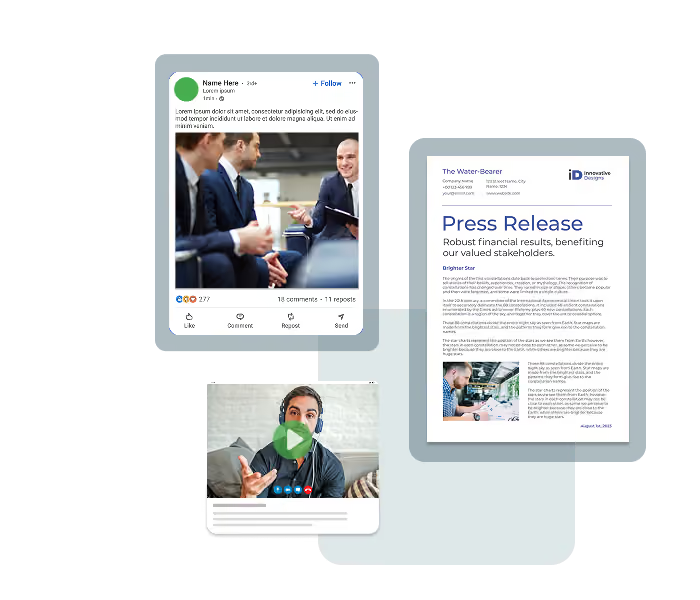
Create communication assets
Create the content and formats you need for different audiences and channels, based on the aligned core message.
Collage of business social media post with people meeting, a press release document, and a video call screen.
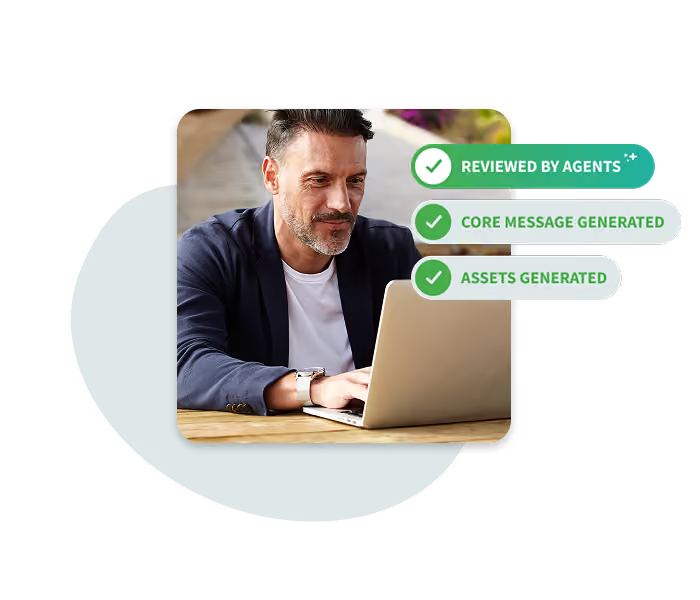
Man working on laptop outdoors with checklists: Reviewed by agents, Core message generated, Assets generated.
05
Review your assets
Have relevant agents review the resulting assets to keep key messages, requirements, and tone consistent.
06
Approve and move forward
Review and finalize the results, then make the finished assets available to your teams for distribution across relevant channels.
Smiling woman in glasses using a laptop with an approved checkmark overlay.
AI supports. Your team decides.
Recommendations, changes, and versions remain traceable, while the final decision always stays with your communications experts.
The vision of OneComms Pro

One communication process. From the first idea to measurable impact.

Corporate Communications doesn’t end when an asset is published. Topics need to be identified, messages developed, stakeholders involved, content created, and its impact understood.

OneComms Pro is evolving into a central platform that connects these steps in a continuous cycle. Insights from communication outcomes feed back into the process, helping you continuously improve what comes next.

Icon representing content search and discovery

Identify relevant topics early

Spot relevant topics, opportunities, and potential risks early. OneComms Pro proactively recommends when and how communication could add value.
Icon of a document with lines and a pencil on a green-blue gradient circle background.

Develop and align messages

Develop clear core messages, bring stakeholder and audience perspectives into the process early, and keep your narrative consistent across different communication initiatives over time.
Icon representing connected communication workflows

Create and adapt content

Turn aligned messages into relevant formats for different audiences, channels, and communication scenarios.
Icon representing enterprise security and data protection

Review and approve

Review content based on Corporate Communications expertise and your organization’s specific requirements, resolve open findings, and keep final decisions with your team.
White chat bubbles icon on green to blue gradient circular background.

Activate communications and enable dialogue

Deliver messages through the right channels to the right audiences and create opportunities for interaction and dialogue.
Icon representing communication impact and analytics

Understand impact and keep learning

Use insights into reach, understanding, and engagement to continuously improve your next communication initiative.
Book a demo
OneComms Pro interface showing campaign setup with sensitivity level, campaign description, launch date, and context definition
Enterprise-ready

Built for Corporate Communications

OneComms Pro combines agentic AI with the requirements of large enterprises, helping you make communication processes more intelligent without compromising on control, security, or your organization’s specific needs.
Stakeholder agents reviewing a core message in OneComms Pro: legal review completed, HR review in progress

Tailored to your company

Configure agents with individual skills and roles and incorporate relevant organizational knowledge, guidelines, and communication standards into the process.
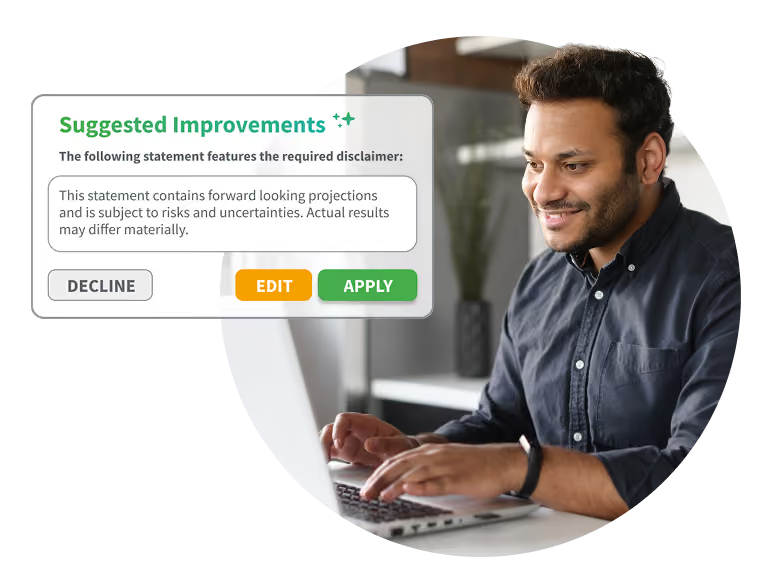
Communications manager reviewing an AI-suggested compliance disclaimer in OneComms Pro, with options to decline, edit, or apply

Your team stays in control

Agents support content creation and review, while your team makes the decisions. Findings, changes, and versions remain traceable, enabling transparent and controlled communication processes.
Setting the sensitivity level of a communication campaign in OneComms Pro: confidential, internal only, or public

Built for enterprise use

OneComms Pro builds on movingimage’s long-standing enterprise expertise, with high standards for security, data privacy, and controlled access to sensitive corporate communications.
From our blog

Insights, tips, and inspiration

Stay up to date with the latest trends, best practices, and expert advice from the world of corporate video.
Visit the Knowledge Center
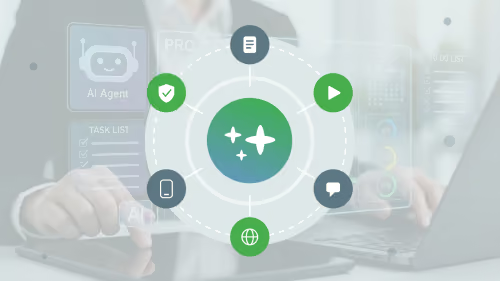
Illustration of a glowing AI agent icon labeled 'AI Agent,' linked to checkmark, video, chat, calendar, and globe icons over a blurred photo of people working at laptops.
Blog Post
Upcoming
On-Demand

AI agents in corporate communications: what’s behind the hype?

Read More
Two colleagues reviewing content results together on a laptop in the office.
Blog Post
Upcoming
On-Demand

How to build an AI-powered content lifecycle

Read More
Icon diagram showing a livestreamed town hall at the center connected to icons for analytics, articles, audio, images, and chat, illustrating one event turned into many content pieces.
Blog Post
Upcoming
On-Demand

How AI can turn one town hall into 20 pieces of content

Read More
agentic-ai-corporate-communications
References
Upcoming
On-Demand

AI at movingimage: How AI is transforming corporate communications

Read More
Illustration of ten interconnected warning icons representing common AI mistakes in corporate communications
Blog Post
Upcoming
On-Demand

10 AI mistakes holding corporate communications teams back

Read More
Ingo Hofacker, CEO of movingimage, presenting the webinar "Agentic AI for Corporate Communications
Product
Upcoming
On-Demand

Agentic AI for Corporate Communications: Turning AI Tools into End-to-End Communication Workflows

Read More
Discover OneComms Pro

See how OneComms Pro can transform your communication processes

Experience OneComms Pro in a personalized demo and discover how agentic AI can help you make your communication processes smarter and more efficient.
A person contacting movingimage through a laptop
You still have questions?

Frequently asked questions

Our professional video solutions provide everything you need for outstanding video experiences throughout your entire organization.

What is agentic AI in Corporate Communications?

Agentic AI goes beyond supporting individual tasks such as writing or summarizing content. It can connect multiple steps of a communication process, with specialized AI agents taking on defined roles and tasks, for example when creating and reviewing messages and communication assets.

OneComms Pro uses this approach to bring Corporate Communications workflows together – from the core message and stakeholder reviews to the creation and review of communication assets.

How is OneComms Pro different from ChatGPT, Claude, and other generative AI tools?

Generative AI tools primarily support individual tasks and prompts. OneComms Pro, by contrast, connects multiple steps of the communication process in a structured workflow on one platform.

Core message development, stakeholder reviews, revisions, and communication assets build on one another, helping preserve context and key messages throughout the process.

How can AI agents support alignment and approval processes in Corporate Communications?

AI agents can bring relevant stakeholder perspectives into the communication process earlier. In OneComms Pro, specialized agents can review content from perspectives such as Legal, HR, Leadership, or Brand and identify potential concerns or areas for improvement.

Communications teams can address these findings before content moves into further alignment and approval. The final decision remains with the team.

How can AI help keep corporate messaging consistent across different channels?

A key challenge in Corporate Communications is adapting an aligned message for different audiences, formats, and channels without changing its essential meaning.

In OneComms Pro, the aligned core message serves as the shared foundation for all resulting communication assets. These assets can then be reviewed by relevant agents to help keep key messages, requirements, and tone consistent.

How can agentic AI support change communication?

During organizational change, key messages need to be aligned with different stakeholders and then adapted for leaders, employees, and various internal channels.

OneComms Pro supports this process from a shared core message and stakeholder reviews to different communication assets, such as leadership talking points, intranet content, Q&As, or emails.

Can companies configure their own AI agents in OneComms Pro?

Agents in OneComms Pro can be adapted to an organization’s requirements through individual skills and roles. This makes it possible to incorporate different stakeholder perspectives and organization-specific requirements into communication processes.

Can OneComms Pro connect to existing organizational knowledge and external tools?

OneComms Pro is designed as an open platform that can connect relevant knowledge sources and external tools to communication processes. This allows the platform to adapt to existing communications environments and organization-specific requirements.

Is OneComms Pro suitable for sensitive corporate communications?

OneComms Pro is designed for Corporate Communications in enterprise environments where security, data privacy, and controlled access play an important role. At the same time, decisions, findings, changes, and versions remain traceable throughout the communication process.

This helps address requirements that are particularly important when managing sensitive corporate communications.

What communication assets can be created with OneComms Pro?

An aligned core message can be used to develop different communication assets for various audiences and channels. Depending on the communication process, these can include press releases, LinkedIn posts, intranet content, leadership talking points, Q&As, emails, or infographics.

This allows different formats to build on the same aligned message.

What types of companies and teams is OneComms Pro designed for?

OneComms Pro is designed for Corporate Communications teams in large enterprises that manage complex communication processes involving multiple stakeholders, audiences, and formats.

The platform is particularly relevant for teams already using generative AI that want to go beyond accelerating individual tasks and make entire communication workflows more intelligent.