

VideoManager Pro - Product Video

Communication that makes an impact
VideoManager Pro - Product Video
Why this video is worth three minutes of your time
Managing video across an organization gets messy fast: files scattered over different systems, constant switching between tools, and a nagging question about who can actually see what. This short product video shows what changes when all of it sits in one place, and it does so by walking through the platform rather than listing features on a slide.
What happens the moment you upload
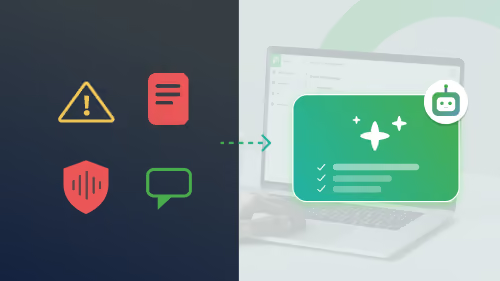
The video opens where most of the wasted time actually is: ingest. Automatic transcription, multi-language subtitling and metadata generation run as soon as a file lands, so a video is optimized before anyone touches it. AI-generated keywords make the library searchable, which is the difference between a colleague finding the right clip in seconds and re-recording something that already exists.
Security your IT team will ask about
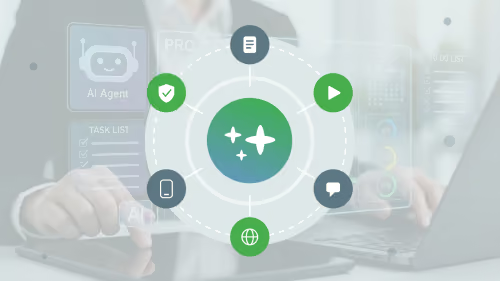
The second half addresses the questions procurement and IT always raise: GDPR compliance, EU-based certified servers, robust security policies, single sign-on, and roles and permissions management tailored to corporate requirements. If you are preparing an internal business case, this is the section to point people to.
Who the video is for
Marketing teams launching campaigns, internal communications sharing company updates, and HR onboarding new employees. The video deliberately covers all three, because the platform is meant to serve them from one library rather than three separate tools. You also see how the player can be customized to match your brand, so the viewing experience stays yours rather than looking like a generic embed. Watch it end to end, then request a free demo if you want to see your own use case mapped out.
.avif)


.avif)
Our Speakers
Why this video is worth three minutes of your time
Managing video across an organization gets messy fast: files scattered over different systems, constant switching between tools, and a nagging question about who can actually see what. This short product video shows what changes when all of it sits in one place, and it does so by walking through the platform rather than listing features on a slide.
What happens the moment you upload
The video opens where most of the wasted time actually is: ingest. Automatic transcription, multi-language subtitling and metadata generation run as soon as a file lands, so a video is optimized before anyone touches it. AI-generated keywords make the library searchable, which is the difference between a colleague finding the right clip in seconds and re-recording something that already exists.
Security your IT team will ask about
The second half addresses the questions procurement and IT always raise: GDPR compliance, EU-based certified servers, robust security policies, single sign-on, and roles and permissions management tailored to corporate requirements. If you are preparing an internal business case, this is the section to point people to.
Who the video is for
Marketing teams launching campaigns, internal communications sharing company updates, and HR onboarding new employees. The video deliberately covers all three, because the platform is meant to serve them from one library rather than three separate tools. You also see how the player can be customized to match your brand, so the viewing experience stays yours rather than looking like a generic embed. Watch it end to end, then request a free demo if you want to see your own use case mapped out.

Our Speakers
Voices from our customers





.avif)


.avif "Corporate Communications 2027: Agentic AI Webinar")