

The comprehensive guide to enterprise livestreaming 2026

Communication that makes an impact
The comprehensive guide to enterprise livestreaming 2026
Livestreaming has become one of the most important communication channels for modern organizations. Whether it’s global town halls, product launches, training sessions, or external events—more and more formats are being streamed live to deliver information faster, more directly, and in a more engaging way. The boom in the corporate world is no coincidence: teams are increasingly distributed, leadership wants greater reach and transparency, and customers expect authentic, real-time insights.
At the same time, the landscape is changing rapidly. Developments such as accessible communication, human-led event experiences, AI-assisted production, and rising security standards are reshaping livestreaming in 2025 and 2026. Companies now need to do far more than deliver content—they must ensure their streams run globally, reliably, accessibly, and with full data protection compliance. Modern AI tools support this by generating automated captions, translations, or highlight summaries.
Yet one thing remains true: a professional enterprise livestream is far more than a video call. It requires planning, high-quality technology, clearly defined roles, and a dependable infrastructure. Only then can organizations create a stable, scalable, and compelling live experience that resonates internally and externally alike. This guide outlines the strategic, technical, and organizational requirements that truly matter today.
Enterprise livestreaming in today’s world
Corporate livestreaming has evolved far beyond simple social-media broadcasts. While public streams often focus on reach, spontaneity, and quick interaction, organizations expect something entirely different: a professional, scalable, and secure setup. Enterprise streams must run reliably, protect confidential information, and work across all devices worldwide—with consistent quality and without access risks.
Enterprise environments introduce additional layers of complexity. A livestream needs to integrate seamlessly into existing IT systems, support single sign-on, meet compliance requirements, and deliver dependable analytics. At the same time, production, moderation, and event management must operate in perfect sync. Typical stakeholders—IT, communications, events, marketing, HR, and executive leadership—each bring their own goals and technical needs. A professional livestream unifies these perspectives into a single, cohesive experience.
Another key factor is the interplay between live and on-demand content. A live broadcast reaches people in the moment, creating immediacy, energy, and real-time engagement. On-demand versions extend reach, improve accessibility, and ensure global teams can participate regardless of time zones. Today, both formats are inseparable components of a consistent and scalable video strategy.
Strategic requirements
Objectives of enterprise livestreams
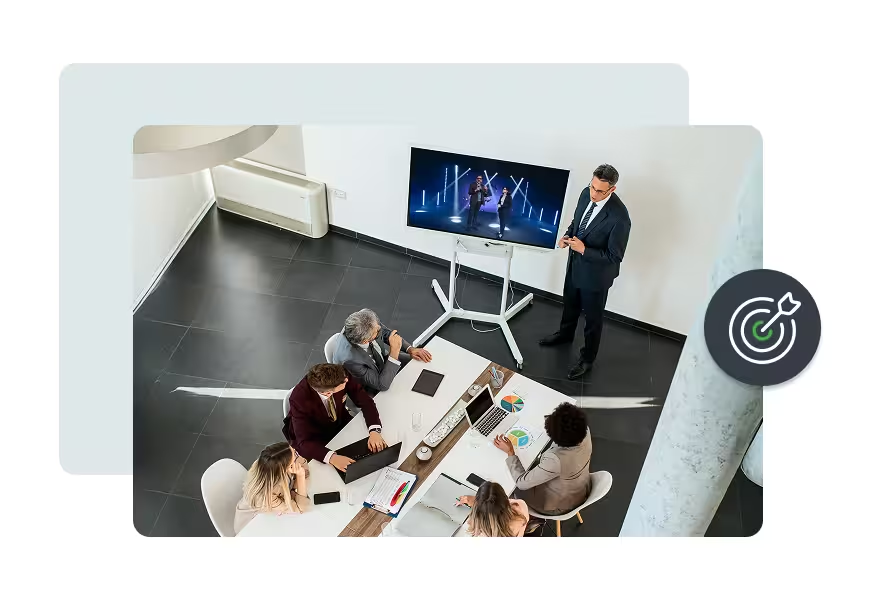
Today, enterprise livestreams serve a wide range of strategic objectives. At their core is direct, scalable communication—both internally and externally. Livestreams allow organizations to deliver messages simultaneously to global teams, customers, partners, or the media, while strengthening transparency, connection, and credibility.
In internal communications, formats like town halls, all-hands meetings, or change updates are central. Leaders can address complex topics, answer questions in real time, and build shared understanding—especially in hybrid and distributed organizations. HR teams also leverage livestreams for onboarding, training, or culture programs, delivering knowledge centrally and ensuring a consistent learning experience.
For marketing and external communications, livestreams are a powerful tool. Product launches, press events, or webinars provide a stage to showcase content, generate leads, and activate brand messages live. Interactive elements like Q&A sessions or live demos boost engagement and foster a sense of connection between the brand and its audience.
Across all areas, the goal remains the same: livestreams should deliver information faster, increase engagement, and communicate complex messages clearly. They create accountability, visibility, and trust, becoming a central pillar of modern corporate communication.
Audiences for enterprise livestreams
Enterprise livestreams target diverse audiences, each with distinct expectations regarding content, structure, and technical execution. The most important distinction is between internal and external viewers. Employees need clear, transparent information that helps them navigate their daily work. External audiences—customers, partners, or media—expect product insights, expertise, and a compelling brand presence. A successful livestream strategy accounts for these differences from the outset.
Livestreams aimed at global audiences require careful planning. Teams operate across multiple time zones, meaning not everyone can attend live. Content must therefore work effectively both live and on-demand. At the same time, expectations for multilingual accessibility are increasing. Companies are increasingly using captions, translations, and subtitles to reach international teams and customers alike. AI-powered tools can accelerate this process, but should always be complemented with human quality checks.
Another critical consideration is accessibility. With the Accessibility Strengthening Act of 2025, inclusive design has become mandatory. Livestreams must be accessible to everyone, regardless of physical or cognitive limitations. This includes captions, audio descriptions, clear moderation, legible presentations, and a player that supports accessibility features. Companies that take accessibility seriously not only ensure legal compliance but also strengthen internal culture and enhance external brand perception.
Measuring success and KPIs in livestreaming
Measuring performance is a crucial part of any professional enterprise livestream. It helps you understand whether your content resonated, whether you reached the right audiences, and whether the technical delivery was stable throughout. Clear KPIs make it easier to refine your strategy and optimize future livestreams. That’s why companies should monitor both content-related and technical performance indicators.
Viewer numbers, watch time, and interactions offer a first snapshot of audience behavior. They show how many people joined, how long they stayed, and how actively they engaged. High watch time is a strong signal that your content was relevant and easy to follow. Interactive features such as Q&A, chat, or reactions provide additional insights into attention levels and audience engagement.
Alongside these classic engagement metrics, technical KPIs are equally important. Bitrate, latency, and buffering rates reveal how stable the livestream was and whether viewers experienced any quality issues. Reliable technical performance is essential—especially for large global audiences or confidential content where disruptions are simply not an option.
Finally, all measurement and tracking must be fully compliant with data privacy regulations. Analytics should be based on clear consent, adhere to privacy guidelines, and meet all relevant compliance requirements. Companies that evaluate KPIs systematically—and take data protection seriously—lay the foundation for continuous improvement and long-term livestreaming success.
Technical requirements
Equipment and hardware for professional livestreams
High-quality hardware is the foundation of a successful enterprise livestream. Depending on the format and budget, the requirements may vary — but the goal is always the same: stable, professional, and consistent production quality. It’s important to note that not every production requires a full camera setup or complex gear. Purely digital formats — such as screen shares or remote sessions — can work as well. The visual style will simply feel more minimal and less like an event production.
Cameras
Cameras play a major role in shaping the visual appearance of a stream. Companies use PTZ cameras for flexible angles, studio cameras for high production value, or simple setups for smaller formats. What matters most is a clean image, good low-light performance, and reliable control. Even in lightweight productions, a single high-quality camera can significantly elevate the professional impression.
Audio
Audio is often even more important than video. Different microphone types — lavalier, headset, or condenser — help ensure clear speech transmission. An audio mixer supports proper level balancing, reduces background noise, and helps manage latency. Poor audio is one of the most common reasons viewers drop off.
Lighting
Lighting influences mood, clarity, and perceived quality. Even a basic three-point setup — key light, fill light, and backlight — can dramatically improve the overall look. Proper lighting reduces shadows, increases sharpness, and creates a polished on-camera presence. A thoughtful set design, even with minimal equipment, contributes to a consistent visual style.
Encoders
Encoders are the heart of livestream transmission. They convert the source signal into a streamable format and ensure that the livestream is delivered at a stable bitrate. Companies can choose between hardware and software encoders depending on production size and infrastructure. The key is a robust, fail-safe solution that performs reliably under demanding conditions.
Network
The network connection is one of the most critical components. A high and stable upload speed is essential to maintain audio and video quality. Companies should also plan for redundancy — through separate lines or mobile bonding — to keep the stream running even in case of failures. Network issues are among the most common causes of quality degradation and should be proactively mitigated.
For readers who want to dive deeper into technical terms such as bitrate, CDN, or encoder types, we recommend our livestreaming glossary. It provides clear explanations of all relevant technical concepts.
A professional setup doesn’t mean using the maximum amount of technology. It’s about choosing the right combination of equipment based on budget, goals, and expectations. Companies that invest in the essentials and prioritize technical stability lay the groundwork for reliable, scalable livestreams.
Production environment for enterprise livestreams
The production environment determines how professional a livestream feels and how smoothly all processes run. It includes everything that needs to be controlled, monitored, and adjusted during the live production. A well-organized setup enables quick reactions, clear workflows, and a visually consistent result — whether the production is handled internally or supported by external partners.
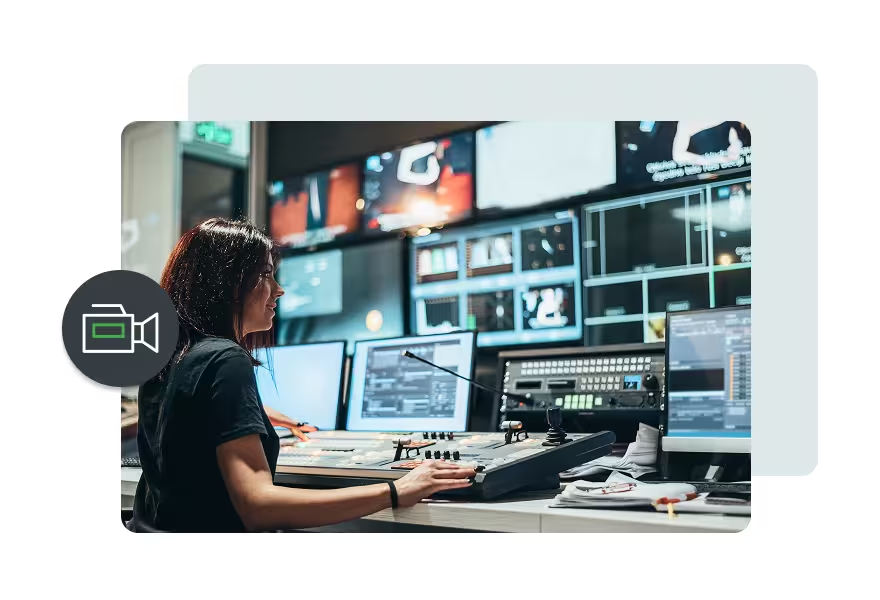
A central element is the control room setup. This is where all signals converge: cameras, microphones, presentations, video assets, and graphics. The control room manages shot switching, audio mixing, and transitions, monitors technical quality, and keeps the entire run-of-show on track. A structured setup ensures that even complex livestreams remain smooth and predictable.
Visual elements such as scene transitions, overlays, and graphics play a major role in the viewer experience. Professional livestreams use lower-thirds, logo animations, speaker name captions, presentation slides, or embedded videos. Even simple productions benefit from clean, consistent graphic elements, as they help with orientation and strengthen brand identity. Modern enterprise livestreaming solutions also allow full customization of the entire event to match the corporate design — including player styling, colors, typography, layouts, and interactive elements. The result is a fully branded experience that reflects the company’s identity throughout. It’s essential that all assets are aligned and thoroughly prepared before going live.
Companies must also decide whether to use an on-site control room or remote production. On-site setups give the team full control over the set, lighting, and cameras. Remote production offers greater flexibility and enables setups across multiple locations, making it ideal for international or hybrid formats. Modern tools now support stable, high-quality remote productions, but they require a strong network and reliable signal infrastructure.
Mobile livestreaming is another option — for example at trade shows, field events, or temporary locations. Mobile setups use compact cameras, wireless systems, or portable encoders and offer maximum flexibility. Network connectivity is the most critical factor here: without stable upload speeds or redundancy, mobile streams can quickly lose quality. With proper preparation, however, companies can deliver professional livestreams even on the go.
A well-planned production environment forms the foundation of a consistent, high-quality livestreaming experience. It ensures that content is presented clearly, technical risks remain low, and the livestream stays reliable even under changing conditions.
Software and platforms for enterprise livestreaming
Choosing the right software and platform is essential for the quality, security, and scalability of an enterprise livestream. Modern solutions must not only perform reliably but also integrate seamlessly into existing IT environments. Companies benefit most from platforms that combine professional features, strong security standards, and flexible branding options.
Livestreaming platforms
Livestreaming platforms differ fundamentally depending on their purpose. Enterprise video platforms (EVPs) offer maximum stability, data protection, and full control over content. They are optimized for internal communication, confidential formats, and large international audiences. Public streaming platforms such as YouTube or LinkedIn provide reach and visibility but come with limitations in security, compliance, and branding. For most enterprise requirements, an EVP is the recommended choice, as it meets professional standards and safeguards sensitive information.
Player
The player is the central interface for the audience. A modern enterprise player supports adaptive streaming to automatically adjust video quality based on the viewer’s bandwidth. Security features such as token-based authentication, domain whitelisting, and restricted embedding options are equally important. A branded player also contributes to a consistent and professional brand experience.
Integrations
Companies also require integrations to seamlessly connect livestreams with existing systems. This includes single sign-on (SSO) for secure user management, content delivery networks (CDNs) for stable global distribution, and integrated analytics tools for tracking performance. The platform should be flexible enough to adapt to different IT landscapes and meet all data protection and compliance requirements.
Interactivity
Interactivity is another key factor. Features such as Q&A, chat, polls, or audience reactions increase attention and actively involve viewers. They make livestreams more dynamic and enable direct engagement between presenters and the audience. Companies benefit from higher engagement levels and valuable real-time insights.
Overall, modern livestreaming platforms provide everything organizations need for secure, scalable, and fully branded live communication. The right software is not just a technical building block — it is a strategic success factor for professional livestreams.
.avif)


.avif)
Security and data protection in livestreaming
Security and data protection are among the most critical requirements in enterprise livestreaming. Sensitive content, internal information, and confidential business processes must be reliably protected. Companies therefore need solutions that combine technical security, compliance, and clear access controls — especially in European environments where data privacy carries significant weight.
GDPR
A central regulatory framework is the GDPR. Livestreaming platforms must operate in a privacy-compliant manner, provide transparent data processing practices, and respect user rights. This includes clear consent mechanisms, secure data storage, and the ability to access or delete personal data at any time. Companies benefit from platforms that offer GDPR-native features and meet European standards.
Encryption mechanisms
Encryption provides an additional layer of protection. Content must be encrypted both during transmission (in transit) and when stored (at rest). This prevents unauthorized access and protects streams from interception or manipulation. High-quality enterprise solutions rely on modern protocols and regular security updates to ensure maximum stability.
Access control and role management
Access control and role management are essential for defining who can view, edit, or publish specific content. Roles, permissions, and SSO integrations allow for clear and secure user management. This prevents accidental exposure and ensures that internal content is only accessible to the intended audience.
Logging and audit trails
Logging and audit trails are crucial for a transparent security architecture. They document access, changes, and technical events. This helps companies meet compliance requirements and ensure that all activities remain traceable and verifiable.
Livestream player
The livestream player also plays a central role. Secure embeds, domain restrictions, token-based security, and time-limited access keys prevent streams from being embedded or shared without authorization. These features are especially important for internal formats or sensitive external events.
Hosting options
Hosting options determine how content is stored and delivered. Companies may choose between cloud, private cloud, or hybrid hosting depending on the required security level, compliance rules, and regional constraints. European or national hosting provides additional protection, particularly for organizations with strict data privacy requirements.
Modern enterprise livestreaming solutions combine all these security components into a stable, compliant, and trusted infrastructure. This foundation enables secure internal and external live communication across the organization.
Operational and organizational requirements

Project management and roles in livestream production
A successful livestream production relies heavily on solid project management and clearly defined roles. The more complex the format, the more important structured preparation, a well-coordinated team, and transparent responsibilities become. Companies should define early on who is responsible for which tasks and how communication will flow between all stakeholders.
At the core is the question: who does what?
The producer oversees the entire process, coordinates all departments, and ensures that technical and content workflows align. This role is often located within communications, events, or marketing. The moderator (typically from leadership, HR, or corporate communications) guides the program, maintains connection with the audience, and ensures clear communication throughout the livestream. The technical team manages camera, audio, lighting, directing, and streaming infrastructure. Marketing handles announcements, landing pages, invitations, and the later release of on-demand content. Each role is essential to achieving a professional result.
Companies also face the decision of whether to produce livestreams in-house or work with agencies. Internal teams offer speed, flexibility, and deep brand understanding. External service providers contribute extensive technical expertise, professional equipment, and broad production experience. Often, a hybrid approach works best: strategic planning and content ownership remain internal, while technical execution or event direction is handed over to specialized partners.
Another key success factor is a runbook that documents every step, workflow, and responsibility. It includes timing, technical setups, speaker briefings, graphic lists, and fallback scenarios. Clean documentation ensures that all team members operate from the same source of truth and can react quickly if issues arise. The runbook should be updated after every production to capture learnings and continuously improve future livestreams.
Structured project management, clearly defined roles, and a well-thought-out runbook create the foundation for stable, repeatable, and scalable livestream processes — whether for small internal updates or large international events.
Preparation and checklists for livestreams
Thorough preparation is essential for a stable and professional livestream. It reduces risks, improves workflows, and ensures that all contributors are aligned both technically and organizationally. Companies should rely on clear checklists to avoid information gaps and make the production process predictable.
Pre-production
The first step is pre-production. This includes defining goals, choosing the format, planning the run of show, and clarifying technical requirements. Presenters need briefing, content must be aligned, and graphic assets need to be prepared. The final scene structure — for example intro, main segment, Q&A, and outro — should also be defined early. Another important part of preparation is a strong registration strategy. A clear, well-designed registration page and thoughtful communication can significantly increase registrations for livestreams, webinars, or hybrid events. For further insights, see our article on boosting event registrations. Effective pre-production ensures that the livestream feels structured, compelling, and professional.
Rehearsal
A full rehearsal is indispensable before the event. It tests timing, transitions, and role distribution. Moderators practice handovers, while the technical team checks camera angles, microphone levels, and lighting. This makes it easy to spot bottlenecks and areas for improvement. The closer the rehearsal mirrors the real setup, the smoother the final performance will be.
Streaming setup
The streaming setup must also be thoroughly tested. This includes camera settings, audio mixing, encoder configuration, player functionality, network stability, and security parameters. A complete test run with all contributors — including the platform the stream will run on — minimizes surprises during the live event.
Backup and fallback plan
A professional livestream also requires a clear backup and fallback plan. This includes redundant internet connections, backup devices, alternative presentation paths, and defined escalation procedures. If any component fails, the team must know exactly how to proceed. Well-prepared fallback scenarios are often the difference between a controlled livestream and an unexpected interruption.
Structured checklists, solid preparation, and realistic rehearsals build the foundation for a smooth live experience. They increase technical stability, strengthen presenter performance, and ensure the overall quality of the event.
Running the livestream
How professionally a livestream is perceived is ultimately decided during the live event itself. It’s not only about technical stability — clear workflows, confident moderation, and seamless collaboration between all contributors are just as important. Strong live execution keeps the team calm, ensures a reliable flow, and creates a consistent viewing experience.
At the start, moderation and on-air roles play a central part. Moderators guide the audience through the program, maintain momentum, and communicate clearly. They pay attention to timing, transitions, and interactions. Presenters should be well prepared, deliver clear messages, and follow technical cues such as camera position or eyeline. Good moderation builds trust and keeps the livestream dynamic.
The control room continuously monitors technical quality. This includes switching camera angles, displaying presentations, managing overlays, and balancing audio channels. The control team is also responsible for internal communication, giving directions to moderators and technicians — all without the audience noticing.
Another important aspect is managing interactions. Q&A, chat, polls, and reactions need to be moderated, organized, and displayed correctly. The interaction team filters questions, prioritizes topics, and supports moderators in addressing the most relevant points. This keeps the event structured even when many viewers participate at once.
For large virtual or hybrid formats, professional latency management is crucial. Delays between stream and interaction can create confusion. Clear communication, structured interaction phases, and adapted moderation help keep the audience and event team in sync.
At the end of the livestream, a clean wrap-up is essential: outro, clear calls to action, references to the on-demand version, and a smooth technical shutdown. After the stream ends, the platform, chat functions, and analytics tools should be checked to ensure all data has been captured correctly.
Precise live execution creates stability, professionalism, and a high-quality viewer experience — regardless of the format or scale of the event.
Post-production of the livestream
Post-production is a crucial step in maximizing the value of an enterprise livestream. It ensures that content continues to have an impact, extends its reach, and captures all learnings for future productions. A structured post-production process not only completes the livestream but also lays the foundation for continuous improvement.
First, the livestream should be made available as an on-demand version. Many viewers cannot attend live or may want to revisit specific segments. A cleanly edited and technically optimized version increases reach and improves the user experience. Chapter markers, thumbnails, and clear titles make it easier for viewers to access the content they need.
It is also useful to create highlights and content snippets. Short video excerpts from keynotes, Q&A sessions, webinars, or product demos are ideal for social media, landing pages, internal knowledge libraries, or email campaigns. AI-powered tools can help identify relevant moments, but all suggestions should be reviewed editorially.
Next, companies should evaluate both the technical and content-related aspects of the livestream. This includes KPI analysis, technical quality reports, viewer feedback, and internal debriefs. The technical team reviews bitrate, stability, and latency; communications and marketing assess engagement metrics, interactions, and on-demand usage. Together, these insights form the basis for improving future livestreams.
A team debrief is equally important. All contributors — moderation, technical teams, producers, marketing, and any external partners — should discuss what worked well and where improvements are needed. These learnings should be documented in the runbook so they are immediately available for the next production.
Thorough post-production not only increases the long-term impact of the livestream but also strengthens internal processes, improves the quality of future events, and ensures sustainable use of the content created.
Content & formats
Formats for enterprise livestreams
Enterprise livestreams can take many forms depending on the goal, audience, and desired impact. The right format determines how content is delivered and how deeply viewers can engage. Companies should choose formats that fit their communication strategy and can adapt flexibly to different scenarios.
Some of the most important formats include town halls and all-hands meetings. They promote transparency, enable direct communication with leadership, and strengthen cohesion across global teams. With clear structure, Q&A sessions, and authentic moderation, these formats build trust and foster connection.
Fireside chats offer a more personal, conversational atmosphere. They are ideal for topics that require a relatable tone — such as leadership messages, company updates, or expert discussions. The format thrives on its informal style and natural dialogue.
For external communication, keynotes, product demos, and webinars are central formats. Webinars are particularly effective for lead generation, education, and marketing funnels. They combine structured content with interactivity through chat, Q&A, or live demonstrations. Keynotes and product presentations attract attention, reinforce thought leadership, and make complex topics accessible.
Hybrid events combine physical and digital audiences, blending on-site experiences with the advantages of virtual participation. They enable maximum reach and offer flexible attendance options across locations and time zones. At the same time, they offer significant potential for sustainable event planning by reducing travel and resource consumption. For further guidance on environmentally friendly event design, see our article on sustainable virtual and hybrid events. Clear direction remains essential to ensure both worlds — stage and stream — work together seamlessly for a consistent experience.
Annual general meetings (AGMs) are among the most demanding livestream formats. They require the highest security and compliance standards, reliable transmission, clear role distribution, and strict access control. Professional livestreaming ensures that shareholders and stakeholders receive all relevant information transparently and in an accessible format.
Livestreaming is also gaining importance in the public sector. Cities, municipalities, and local institutions use livestreams for council meetings, community assemblies, information sessions, and regional events. Transparency, accessibility, and security are crucial here, as content must be legally compliant and easily accessible to citizens.
Training sessions, workshops, and internal education programs are increasingly delivered live. Interactive tools, demonstrations, and on-demand access make them particularly effective for knowledge transfer and employee development.
Panel discussions and conferences expand the format portfolio with expert perspectives, diverse viewpoints, and dynamic debate. They work well both internally and externally and are ideal for communities, industry events, or thought-leadership content.
Professional livestreaming solutions support all these formats in a scalable, interactive, and brand-consistent way — regardless of audience, location, or production scope.
Storytelling in livestreams
Many companies focus primarily on technical aspects when planning a livestream — stable connection, good cameras, clean audio. These factors are important, but they alone do not determine the success of a livestream. Equally critical is strong storytelling. Only a clear, well-structured narrative ensures that content is understood, stays relevant, and resonates with viewers long after the event.
An effective story begins with a clearly defined core message. Moderators and presenters should understand the goal of the livestream and the key points they need to communicate. A precise introduction provides orientation, the main section conveys content in a structured and understandable way, and a strong closing statement ensures that the most important information sticks.
Visual elements are a central part of storytelling. Presentations, video inserts, graphics, or live demos structure the content and create variety. They give the livestream rhythm and reinforce key points visually. What matters is that all visual elements are consistent and blend seamlessly into the flow of the program.
Interactive elements further strengthen the narrative. Q&A sessions, polls, or reactions allow viewers to participate actively. This makes the livestream more dialog-driven and personal. At the same time, the team gains valuable insights into which topics are most relevant or need additional explanation.
For accessible communication, storytelling should be clear, straightforward, and well moderated. A strong narrative thread not only benefits the audience but also supports accessibility measures — for example, when creating subtitles, audio descriptions, or structured presentations.
Professional storytelling makes livestreams engaging, understandable, and impactful. It connects information with emotional resonance and ensures that content is not just watched, but truly absorbed.
Best practices & trends
Success factors for professional livestreams
Successful livestreams don’t happen by accident. They are the result of clear planning, technical stability, compelling content, and smooth execution. Companies should focus on a few key success factors to create a consistent and professional live experience.
1. Consistent technical quality
- Stable connection, clear audio quality, professional image
- Calm set, good lighting, and a cohesive visual style
- Proactively prevent technical issues, not just react to them
2. Clear objectives and messaging
- Define goals, target groups, and KPIs in advance
- Focus content on a few core messages
- Structure the agenda and transitions clearly
3. High interactivity
- Use Q&A, chat, polls, or reactions
- Moderate interactions and integrate them intentionally into the story
- Foster engagement deliberately, not accidentally
4. Strong moderation
- Moderators who guide confidently, explain clearly, and connect with the audience
- Clear tone, calm energy, strong on-camera and audience presence
- Communicate complex topics in an understandable way
5. Professional teamwork and clear roles
- Tight collaboration between producer, technical team, moderation, and marketing
- Real-time communication between control room and stage
- Define responsibilities clearly and early
6. Technical redundancy and fallback plans
- Backup internet, replacement devices, alternative presentation options
- Document emergency processes and escalation paths
- Perform a risk analysis before the event
Companies that follow these principles deliver livestreams with strong professionalism, clear messaging, and meaningful impact. For additional ideas, tips, and examples for virtual events, you can explore our related resources.
Common mistakes in livestreams and how to avoid them
Many challenges in livestreaming are not caused by missing technology, but by missing preparation, unclear roles, or overlooked details. These common mistakes can be avoided easily when companies know them early and take proactive steps.
1. Underdimensioned technical infrastructure
- Too little upload bandwidth or an unstable network
- Lack of redundancy in connections or equipment
- Unsuitable hardware for cameras, audio, or encoding
2. Insufficient preparation and missing rehearsals
- No full rehearsal under real conditions
- Unclear workflows or last-minute improvisation
- Lack of coordination between control room, tech team, and moderators
3. Overloaded content without clear structure
- Too many topics in a single livestream
- No clear narrative, unclear messaging
- Presentations without structure or overloaded with text
4. Neglected audience interaction
- Q&A or chat is ignored or poorly moderated
- No interaction phases scheduled in the run of show
- Communication is too one-sided, without dialogue
5. Wrong platform choice
- Using public streaming platforms despite compliance requirements
- Missing security and access controls
- Limitations in branding, analytics, and data protection
6. Poor risk management
- No backup internet connection
- No replacement hardware
- No fallback scenario for technical issues
Companies that address these issues early significantly increase the stability of their livestreams and create a far more professional experience for all viewers. Avoiding these common pitfalls is often the deciding factor between an average livestream and an outstanding one. You can find 8 more pro tips from our livestreaming experts here.
Future and trends in enterprise livestreaming
Livestreaming in the corporate world is developing rapidly. New technologies, changing expectations, and rising requirements are shaping the years ahead. For companies, these developments offer major opportunities: productions become more efficient, content becomes more accessible, and livestream experiences grow increasingly professional. More than ever, it’s worth considering technological trends early and integrating them strategically.
AI in livestream production
A key driver is the growing role of AI in production. Automated subtitles, translations, transcripts, and highlight clips significantly reduce workload and speed up post-production. Automated framing, camera-based speaker detection, and intelligent directing tools also support teams in real time. As a result, even complex livestreams can be produced with less effort and high quality.
Real-time multilingual livestreaming
Real-time multilingual capabilities are also gaining importance. Modern AI models enable simultaneous translations that are becoming increasingly accurate and significantly increase accessibility for global events. International companies benefit in particular, as content becomes available instantly to all viewers, regardless of language or location.
Virtual and hybrid formats
At the same time, virtual and hybrid event formats continue to evolve. Companies combine studio setups, remote guests, and live audiences to create dynamic, high-value livestreams. Virtual sets, AR elements, and expanded directing options open up new creative possibilities. However, they also increase the demands on synchronization, interaction, and technical stability.
Security and compliance
Security and compliance are becoming even more critical. Companies must consider data protection regulations, access rights, and hosting requirements more rigorously. Enhanced token security, domain restrictions, and detailed audit logs are increasingly becoming standard features of professional enterprise livestreams.
Branding and user experience
Another trend is the growing demand for fully branded livestream experiences. Companies want not only the content but also the entire user experience to reflect their corporate design — from the player and overlays to interactive elements. This strengthens brand perception and creates a consistent experience across all digital touchpoints.
Analytics and data-driven optimization
Expectations around analytics are also rising. Companies want to understand exactly how content is used, which segments perform best, and how engagement develops over time. Detailed analytics and AI-driven recommendations enable data-based optimization for future events.
Mobile and flexible livestream setups
Finally, mobile and flexible livestream setups are becoming more important. Professional quality can now be achieved with compact rigs, mobile encoders, and cloud-based control rooms. This makes livestreaming more agile and particularly attractive for field operations, trade shows, or spontaneous formats.
Overall, enterprise livestreaming is becoming more personal, more intelligent, and more technologically sophisticated. Companies that embrace these trends not only achieve more efficient productions but also create livestream experiences with broad reach, strong impact, and lasting value.
Conclusion
Professional livestreaming has become a core component of modern corporate communication. It combines reach, transparency, and interaction, enabling companies to connect with global audiences in real time. At the same time, it’s clear that successful livestreams require far more than good equipment alone: they demand clear objectives, well-designed workflows, strong content, stable technology, and a deep understanding of security, accessibility, and brand experience. Companies that approach livestreaming strategically create a scalable communication tool that delivers impact both internally and externally — and generates lasting value over time.
Our Speakers
Livestreaming has become one of the most important communication channels for modern organizations. Whether it’s global town halls, product launches, training sessions, or external events—more and more formats are being streamed live to deliver information faster, more directly, and in a more engaging way. The boom in the corporate world is no coincidence: teams are increasingly distributed, leadership wants greater reach and transparency, and customers expect authentic, real-time insights.
At the same time, the landscape is changing rapidly. Developments such as accessible communication, human-led event experiences, AI-assisted production, and rising security standards are reshaping livestreaming in 2025 and 2026. Companies now need to do far more than deliver content—they must ensure their streams run globally, reliably, accessibly, and with full data protection compliance. Modern AI tools support this by generating automated captions, translations, or highlight summaries.
Yet one thing remains true: a professional enterprise livestream is far more than a video call. It requires planning, high-quality technology, clearly defined roles, and a dependable infrastructure. Only then can organizations create a stable, scalable, and compelling live experience that resonates internally and externally alike. This guide outlines the strategic, technical, and organizational requirements that truly matter today.
Enterprise livestreaming in today’s world
Corporate livestreaming has evolved far beyond simple social-media broadcasts. While public streams often focus on reach, spontaneity, and quick interaction, organizations expect something entirely different: a professional, scalable, and secure setup. Enterprise streams must run reliably, protect confidential information, and work across all devices worldwide—with consistent quality and without access risks.
Enterprise environments introduce additional layers of complexity. A livestream needs to integrate seamlessly into existing IT systems, support single sign-on, meet compliance requirements, and deliver dependable analytics. At the same time, production, moderation, and event management must operate in perfect sync. Typical stakeholders—IT, communications, events, marketing, HR, and executive leadership—each bring their own goals and technical needs. A professional livestream unifies these perspectives into a single, cohesive experience.
Another key factor is the interplay between live and on-demand content. A live broadcast reaches people in the moment, creating immediacy, energy, and real-time engagement. On-demand versions extend reach, improve accessibility, and ensure global teams can participate regardless of time zones. Today, both formats are inseparable components of a consistent and scalable video strategy.
Strategic requirements
Objectives of enterprise livestreams
Today, enterprise livestreams serve a wide range of strategic objectives. At their core is direct, scalable communication—both internally and externally. Livestreams allow organizations to deliver messages simultaneously to global teams, customers, partners, or the media, while strengthening transparency, connection, and credibility.
In internal communications, formats like town halls, all-hands meetings, or change updates are central. Leaders can address complex topics, answer questions in real time, and build shared understanding—especially in hybrid and distributed organizations. HR teams also leverage livestreams for onboarding, training, or culture programs, delivering knowledge centrally and ensuring a consistent learning experience.
For marketing and external communications, livestreams are a powerful tool. Product launches, press events, or webinars provide a stage to showcase content, generate leads, and activate brand messages live. Interactive elements like Q&A sessions or live demos boost engagement and foster a sense of connection between the brand and its audience.
Across all areas, the goal remains the same: livestreams should deliver information faster, increase engagement, and communicate complex messages clearly. They create accountability, visibility, and trust, becoming a central pillar of modern corporate communication.
Audiences for enterprise livestreams
Enterprise livestreams target diverse audiences, each with distinct expectations regarding content, structure, and technical execution. The most important distinction is between internal and external viewers. Employees need clear, transparent information that helps them navigate their daily work. External audiences—customers, partners, or media—expect product insights, expertise, and a compelling brand presence. A successful livestream strategy accounts for these differences from the outset.
Livestreams aimed at global audiences require careful planning. Teams operate across multiple time zones, meaning not everyone can attend live. Content must therefore work effectively both live and on-demand. At the same time, expectations for multilingual accessibility are increasing. Companies are increasingly using captions, translations, and subtitles to reach international teams and customers alike. AI-powered tools can accelerate this process, but should always be complemented with human quality checks.
Another critical consideration is accessibility. With the Accessibility Strengthening Act of 2025, inclusive design has become mandatory. Livestreams must be accessible to everyone, regardless of physical or cognitive limitations. This includes captions, audio descriptions, clear moderation, legible presentations, and a player that supports accessibility features. Companies that take accessibility seriously not only ensure legal compliance but also strengthen internal culture and enhance external brand perception.
Measuring success and KPIs in livestreaming
Measuring performance is a crucial part of any professional enterprise livestream. It helps you understand whether your content resonated, whether you reached the right audiences, and whether the technical delivery was stable throughout. Clear KPIs make it easier to refine your strategy and optimize future livestreams. That’s why companies should monitor both content-related and technical performance indicators.
Viewer numbers, watch time, and interactions offer a first snapshot of audience behavior. They show how many people joined, how long they stayed, and how actively they engaged. High watch time is a strong signal that your content was relevant and easy to follow. Interactive features such as Q&A, chat, or reactions provide additional insights into attention levels and audience engagement.
Alongside these classic engagement metrics, technical KPIs are equally important. Bitrate, latency, and buffering rates reveal how stable the livestream was and whether viewers experienced any quality issues. Reliable technical performance is essential—especially for large global audiences or confidential content where disruptions are simply not an option.
Finally, all measurement and tracking must be fully compliant with data privacy regulations. Analytics should be based on clear consent, adhere to privacy guidelines, and meet all relevant compliance requirements. Companies that evaluate KPIs systematically—and take data protection seriously—lay the foundation for continuous improvement and long-term livestreaming success.
Technical requirements
Equipment and hardware for professional livestreams
High-quality hardware is the foundation of a successful enterprise livestream. Depending on the format and budget, the requirements may vary — but the goal is always the same: stable, professional, and consistent production quality. It’s important to note that not every production requires a full camera setup or complex gear. Purely digital formats — such as screen shares or remote sessions — can work as well. The visual style will simply feel more minimal and less like an event production.
Cameras
Cameras play a major role in shaping the visual appearance of a stream. Companies use PTZ cameras for flexible angles, studio cameras for high production value, or simple setups for smaller formats. What matters most is a clean image, good low-light performance, and reliable control. Even in lightweight productions, a single high-quality camera can significantly elevate the professional impression.
Audio
Audio is often even more important than video. Different microphone types — lavalier, headset, or condenser — help ensure clear speech transmission. An audio mixer supports proper level balancing, reduces background noise, and helps manage latency. Poor audio is one of the most common reasons viewers drop off.
Lighting
Lighting influences mood, clarity, and perceived quality. Even a basic three-point setup — key light, fill light, and backlight — can dramatically improve the overall look. Proper lighting reduces shadows, increases sharpness, and creates a polished on-camera presence. A thoughtful set design, even with minimal equipment, contributes to a consistent visual style.
Encoders
Encoders are the heart of livestream transmission. They convert the source signal into a streamable format and ensure that the livestream is delivered at a stable bitrate. Companies can choose between hardware and software encoders depending on production size and infrastructure. The key is a robust, fail-safe solution that performs reliably under demanding conditions.
Network
The network connection is one of the most critical components. A high and stable upload speed is essential to maintain audio and video quality. Companies should also plan for redundancy — through separate lines or mobile bonding — to keep the stream running even in case of failures. Network issues are among the most common causes of quality degradation and should be proactively mitigated.
For readers who want to dive deeper into technical terms such as bitrate, CDN, or encoder types, we recommend our livestreaming glossary. It provides clear explanations of all relevant technical concepts.
A professional setup doesn’t mean using the maximum amount of technology. It’s about choosing the right combination of equipment based on budget, goals, and expectations. Companies that invest in the essentials and prioritize technical stability lay the groundwork for reliable, scalable livestreams.
Production environment for enterprise livestreams
The production environment determines how professional a livestream feels and how smoothly all processes run. It includes everything that needs to be controlled, monitored, and adjusted during the live production. A well-organized setup enables quick reactions, clear workflows, and a visually consistent result — whether the production is handled internally or supported by external partners.
A central element is the control room setup. This is where all signals converge: cameras, microphones, presentations, video assets, and graphics. The control room manages shot switching, audio mixing, and transitions, monitors technical quality, and keeps the entire run-of-show on track. A structured setup ensures that even complex livestreams remain smooth and predictable.
Visual elements such as scene transitions, overlays, and graphics play a major role in the viewer experience. Professional livestreams use lower-thirds, logo animations, speaker name captions, presentation slides, or embedded videos. Even simple productions benefit from clean, consistent graphic elements, as they help with orientation and strengthen brand identity. Modern enterprise livestreaming solutions also allow full customization of the entire event to match the corporate design — including player styling, colors, typography, layouts, and interactive elements. The result is a fully branded experience that reflects the company’s identity throughout. It’s essential that all assets are aligned and thoroughly prepared before going live.
Companies must also decide whether to use an on-site control room or remote production. On-site setups give the team full control over the set, lighting, and cameras. Remote production offers greater flexibility and enables setups across multiple locations, making it ideal for international or hybrid formats. Modern tools now support stable, high-quality remote productions, but they require a strong network and reliable signal infrastructure.
Mobile livestreaming is another option — for example at trade shows, field events, or temporary locations. Mobile setups use compact cameras, wireless systems, or portable encoders and offer maximum flexibility. Network connectivity is the most critical factor here: without stable upload speeds or redundancy, mobile streams can quickly lose quality. With proper preparation, however, companies can deliver professional livestreams even on the go.
A well-planned production environment forms the foundation of a consistent, high-quality livestreaming experience. It ensures that content is presented clearly, technical risks remain low, and the livestream stays reliable even under changing conditions.
Software and platforms for enterprise livestreaming
Choosing the right software and platform is essential for the quality, security, and scalability of an enterprise livestream. Modern solutions must not only perform reliably but also integrate seamlessly into existing IT environments. Companies benefit most from platforms that combine professional features, strong security standards, and flexible branding options.
Livestreaming platforms
Livestreaming platforms differ fundamentally depending on their purpose. Enterprise video platforms (EVPs) offer maximum stability, data protection, and full control over content. They are optimized for internal communication, confidential formats, and large international audiences. Public streaming platforms such as YouTube or LinkedIn provide reach and visibility but come with limitations in security, compliance, and branding. For most enterprise requirements, an EVP is the recommended choice, as it meets professional standards and safeguards sensitive information.
Player
The player is the central interface for the audience. A modern enterprise player supports adaptive streaming to automatically adjust video quality based on the viewer’s bandwidth. Security features such as token-based authentication, domain whitelisting, and restricted embedding options are equally important. A branded player also contributes to a consistent and professional brand experience.
Integrations
Companies also require integrations to seamlessly connect livestreams with existing systems. This includes single sign-on (SSO) for secure user management, content delivery networks (CDNs) for stable global distribution, and integrated analytics tools for tracking performance. The platform should be flexible enough to adapt to different IT landscapes and meet all data protection and compliance requirements.
Interactivity
Interactivity is another key factor. Features such as Q&A, chat, polls, or audience reactions increase attention and actively involve viewers. They make livestreams more dynamic and enable direct engagement between presenters and the audience. Companies benefit from higher engagement levels and valuable real-time insights.
Overall, modern livestreaming platforms provide everything organizations need for secure, scalable, and fully branded live communication. The right software is not just a technical building block — it is a strategic success factor for professional livestreams.

Security and data protection in livestreaming
Security and data protection are among the most critical requirements in enterprise livestreaming. Sensitive content, internal information, and confidential business processes must be reliably protected. Companies therefore need solutions that combine technical security, compliance, and clear access controls — especially in European environments where data privacy carries significant weight.
GDPR
A central regulatory framework is the GDPR. Livestreaming platforms must operate in a privacy-compliant manner, provide transparent data processing practices, and respect user rights. This includes clear consent mechanisms, secure data storage, and the ability to access or delete personal data at any time. Companies benefit from platforms that offer GDPR-native features and meet European standards.
Encryption mechanisms
Encryption provides an additional layer of protection. Content must be encrypted both during transmission (in transit) and when stored (at rest). This prevents unauthorized access and protects streams from interception or manipulation. High-quality enterprise solutions rely on modern protocols and regular security updates to ensure maximum stability.
Access control and role management
Access control and role management are essential for defining who can view, edit, or publish specific content. Roles, permissions, and SSO integrations allow for clear and secure user management. This prevents accidental exposure and ensures that internal content is only accessible to the intended audience.
Logging and audit trails
Logging and audit trails are crucial for a transparent security architecture. They document access, changes, and technical events. This helps companies meet compliance requirements and ensure that all activities remain traceable and verifiable.
Livestream player
The livestream player also plays a central role. Secure embeds, domain restrictions, token-based security, and time-limited access keys prevent streams from being embedded or shared without authorization. These features are especially important for internal formats or sensitive external events.
Hosting options
Hosting options determine how content is stored and delivered. Companies may choose between cloud, private cloud, or hybrid hosting depending on the required security level, compliance rules, and regional constraints. European or national hosting provides additional protection, particularly for organizations with strict data privacy requirements.
Modern enterprise livestreaming solutions combine all these security components into a stable, compliant, and trusted infrastructure. This foundation enables secure internal and external live communication across the organization.
Operational and organizational requirements
Project management and roles in livestream production
A successful livestream production relies heavily on solid project management and clearly defined roles. The more complex the format, the more important structured preparation, a well-coordinated team, and transparent responsibilities become. Companies should define early on who is responsible for which tasks and how communication will flow between all stakeholders.
At the core is the question: who does what?
The producer oversees the entire process, coordinates all departments, and ensures that technical and content workflows align. This role is often located within communications, events, or marketing. The moderator (typically from leadership, HR, or corporate communications) guides the program, maintains connection with the audience, and ensures clear communication throughout the livestream. The technical team manages camera, audio, lighting, directing, and streaming infrastructure. Marketing handles announcements, landing pages, invitations, and the later release of on-demand content. Each role is essential to achieving a professional result.
Companies also face the decision of whether to produce livestreams in-house or work with agencies. Internal teams offer speed, flexibility, and deep brand understanding. External service providers contribute extensive technical expertise, professional equipment, and broad production experience. Often, a hybrid approach works best: strategic planning and content ownership remain internal, while technical execution or event direction is handed over to specialized partners.
Another key success factor is a runbook that documents every step, workflow, and responsibility. It includes timing, technical setups, speaker briefings, graphic lists, and fallback scenarios. Clean documentation ensures that all team members operate from the same source of truth and can react quickly if issues arise. The runbook should be updated after every production to capture learnings and continuously improve future livestreams.
Structured project management, clearly defined roles, and a well-thought-out runbook create the foundation for stable, repeatable, and scalable livestream processes — whether for small internal updates or large international events.
Preparation and checklists for livestreams
Thorough preparation is essential for a stable and professional livestream. It reduces risks, improves workflows, and ensures that all contributors are aligned both technically and organizationally. Companies should rely on clear checklists to avoid information gaps and make the production process predictable.
Pre-production
The first step is pre-production. This includes defining goals, choosing the format, planning the run of show, and clarifying technical requirements. Presenters need briefing, content must be aligned, and graphic assets need to be prepared. The final scene structure — for example intro, main segment, Q&A, and outro — should also be defined early. Another important part of preparation is a strong registration strategy. A clear, well-designed registration page and thoughtful communication can significantly increase registrations for livestreams, webinars, or hybrid events. For further insights, see our article on boosting event registrations. Effective pre-production ensures that the livestream feels structured, compelling, and professional.
Rehearsal
A full rehearsal is indispensable before the event. It tests timing, transitions, and role distribution. Moderators practice handovers, while the technical team checks camera angles, microphone levels, and lighting. This makes it easy to spot bottlenecks and areas for improvement. The closer the rehearsal mirrors the real setup, the smoother the final performance will be.
Streaming setup
The streaming setup must also be thoroughly tested. This includes camera settings, audio mixing, encoder configuration, player functionality, network stability, and security parameters. A complete test run with all contributors — including the platform the stream will run on — minimizes surprises during the live event.
Backup and fallback plan
A professional livestream also requires a clear backup and fallback plan. This includes redundant internet connections, backup devices, alternative presentation paths, and defined escalation procedures. If any component fails, the team must know exactly how to proceed. Well-prepared fallback scenarios are often the difference between a controlled livestream and an unexpected interruption.
Structured checklists, solid preparation, and realistic rehearsals build the foundation for a smooth live experience. They increase technical stability, strengthen presenter performance, and ensure the overall quality of the event.
Running the livestream
How professionally a livestream is perceived is ultimately decided during the live event itself. It’s not only about technical stability — clear workflows, confident moderation, and seamless collaboration between all contributors are just as important. Strong live execution keeps the team calm, ensures a reliable flow, and creates a consistent viewing experience.
At the start, moderation and on-air roles play a central part. Moderators guide the audience through the program, maintain momentum, and communicate clearly. They pay attention to timing, transitions, and interactions. Presenters should be well prepared, deliver clear messages, and follow technical cues such as camera position or eyeline. Good moderation builds trust and keeps the livestream dynamic.
The control room continuously monitors technical quality. This includes switching camera angles, displaying presentations, managing overlays, and balancing audio channels. The control team is also responsible for internal communication, giving directions to moderators and technicians — all without the audience noticing.
Another important aspect is managing interactions. Q&A, chat, polls, and reactions need to be moderated, organized, and displayed correctly. The interaction team filters questions, prioritizes topics, and supports moderators in addressing the most relevant points. This keeps the event structured even when many viewers participate at once.
For large virtual or hybrid formats, professional latency management is crucial. Delays between stream and interaction can create confusion. Clear communication, structured interaction phases, and adapted moderation help keep the audience and event team in sync.
At the end of the livestream, a clean wrap-up is essential: outro, clear calls to action, references to the on-demand version, and a smooth technical shutdown. After the stream ends, the platform, chat functions, and analytics tools should be checked to ensure all data has been captured correctly.
Precise live execution creates stability, professionalism, and a high-quality viewer experience — regardless of the format or scale of the event.
Post-production of the livestream
Post-production is a crucial step in maximizing the value of an enterprise livestream. It ensures that content continues to have an impact, extends its reach, and captures all learnings for future productions. A structured post-production process not only completes the livestream but also lays the foundation for continuous improvement.
First, the livestream should be made available as an on-demand version. Many viewers cannot attend live or may want to revisit specific segments. A cleanly edited and technically optimized version increases reach and improves the user experience. Chapter markers, thumbnails, and clear titles make it easier for viewers to access the content they need.
It is also useful to create highlights and content snippets. Short video excerpts from keynotes, Q&A sessions, webinars, or product demos are ideal for social media, landing pages, internal knowledge libraries, or email campaigns. AI-powered tools can help identify relevant moments, but all suggestions should be reviewed editorially.
Next, companies should evaluate both the technical and content-related aspects of the livestream. This includes KPI analysis, technical quality reports, viewer feedback, and internal debriefs. The technical team reviews bitrate, stability, and latency; communications and marketing assess engagement metrics, interactions, and on-demand usage. Together, these insights form the basis for improving future livestreams.
A team debrief is equally important. All contributors — moderation, technical teams, producers, marketing, and any external partners — should discuss what worked well and where improvements are needed. These learnings should be documented in the runbook so they are immediately available for the next production.
Thorough post-production not only increases the long-term impact of the livestream but also strengthens internal processes, improves the quality of future events, and ensures sustainable use of the content created.
Content & formats
Formats for enterprise livestreams
Enterprise livestreams can take many forms depending on the goal, audience, and desired impact. The right format determines how content is delivered and how deeply viewers can engage. Companies should choose formats that fit their communication strategy and can adapt flexibly to different scenarios.
Some of the most important formats include town halls and all-hands meetings. They promote transparency, enable direct communication with leadership, and strengthen cohesion across global teams. With clear structure, Q&A sessions, and authentic moderation, these formats build trust and foster connection.
Fireside chats offer a more personal, conversational atmosphere. They are ideal for topics that require a relatable tone — such as leadership messages, company updates, or expert discussions. The format thrives on its informal style and natural dialogue.
For external communication, keynotes, product demos, and webinars are central formats. Webinars are particularly effective for lead generation, education, and marketing funnels. They combine structured content with interactivity through chat, Q&A, or live demonstrations. Keynotes and product presentations attract attention, reinforce thought leadership, and make complex topics accessible.
Hybrid events combine physical and digital audiences, blending on-site experiences with the advantages of virtual participation. They enable maximum reach and offer flexible attendance options across locations and time zones. At the same time, they offer significant potential for sustainable event planning by reducing travel and resource consumption. For further guidance on environmentally friendly event design, see our article on sustainable virtual and hybrid events. Clear direction remains essential to ensure both worlds — stage and stream — work together seamlessly for a consistent experience.
Annual general meetings (AGMs) are among the most demanding livestream formats. They require the highest security and compliance standards, reliable transmission, clear role distribution, and strict access control. Professional livestreaming ensures that shareholders and stakeholders receive all relevant information transparently and in an accessible format.
Livestreaming is also gaining importance in the public sector. Cities, municipalities, and local institutions use livestreams for council meetings, community assemblies, information sessions, and regional events. Transparency, accessibility, and security are crucial here, as content must be legally compliant and easily accessible to citizens.
Training sessions, workshops, and internal education programs are increasingly delivered live. Interactive tools, demonstrations, and on-demand access make them particularly effective for knowledge transfer and employee development.
Panel discussions and conferences expand the format portfolio with expert perspectives, diverse viewpoints, and dynamic debate. They work well both internally and externally and are ideal for communities, industry events, or thought-leadership content.
Professional livestreaming solutions support all these formats in a scalable, interactive, and brand-consistent way — regardless of audience, location, or production scope.
Storytelling in livestreams
Many companies focus primarily on technical aspects when planning a livestream — stable connection, good cameras, clean audio. These factors are important, but they alone do not determine the success of a livestream. Equally critical is strong storytelling. Only a clear, well-structured narrative ensures that content is understood, stays relevant, and resonates with viewers long after the event.
An effective story begins with a clearly defined core message. Moderators and presenters should understand the goal of the livestream and the key points they need to communicate. A precise introduction provides orientation, the main section conveys content in a structured and understandable way, and a strong closing statement ensures that the most important information sticks.
Visual elements are a central part of storytelling. Presentations, video inserts, graphics, or live demos structure the content and create variety. They give the livestream rhythm and reinforce key points visually. What matters is that all visual elements are consistent and blend seamlessly into the flow of the program.
Interactive elements further strengthen the narrative. Q&A sessions, polls, or reactions allow viewers to participate actively. This makes the livestream more dialog-driven and personal. At the same time, the team gains valuable insights into which topics are most relevant or need additional explanation.
For accessible communication, storytelling should be clear, straightforward, and well moderated. A strong narrative thread not only benefits the audience but also supports accessibility measures — for example, when creating subtitles, audio descriptions, or structured presentations.
Professional storytelling makes livestreams engaging, understandable, and impactful. It connects information with emotional resonance and ensures that content is not just watched, but truly absorbed.
Best practices & trends
Success factors for professional livestreams
Successful livestreams don’t happen by accident. They are the result of clear planning, technical stability, compelling content, and smooth execution. Companies should focus on a few key success factors to create a consistent and professional live experience.
1. Consistent technical quality
- Stable connection, clear audio quality, professional image
- Calm set, good lighting, and a cohesive visual style
- Proactively prevent technical issues, not just react to them
2. Clear objectives and messaging
- Define goals, target groups, and KPIs in advance
- Focus content on a few core messages
- Structure the agenda and transitions clearly
3. High interactivity
- Use Q&A, chat, polls, or reactions
- Moderate interactions and integrate them intentionally into the story
- Foster engagement deliberately, not accidentally
4. Strong moderation
- Moderators who guide confidently, explain clearly, and connect with the audience
- Clear tone, calm energy, strong on-camera and audience presence
- Communicate complex topics in an understandable way
5. Professional teamwork and clear roles
- Tight collaboration between producer, technical team, moderation, and marketing
- Real-time communication between control room and stage
- Define responsibilities clearly and early
6. Technical redundancy and fallback plans
- Backup internet, replacement devices, alternative presentation options
- Document emergency processes and escalation paths
- Perform a risk analysis before the event
Companies that follow these principles deliver livestreams with strong professionalism, clear messaging, and meaningful impact. For additional ideas, tips, and examples for virtual events, you can explore our related resources.
Common mistakes in livestreams and how to avoid them
Many challenges in livestreaming are not caused by missing technology, but by missing preparation, unclear roles, or overlooked details. These common mistakes can be avoided easily when companies know them early and take proactive steps.
1. Underdimensioned technical infrastructure
- Too little upload bandwidth or an unstable network
- Lack of redundancy in connections or equipment
- Unsuitable hardware for cameras, audio, or encoding
2. Insufficient preparation and missing rehearsals
- No full rehearsal under real conditions
- Unclear workflows or last-minute improvisation
- Lack of coordination between control room, tech team, and moderators
3. Overloaded content without clear structure
- Too many topics in a single livestream
- No clear narrative, unclear messaging
- Presentations without structure or overloaded with text
4. Neglected audience interaction
- Q&A or chat is ignored or poorly moderated
- No interaction phases scheduled in the run of show
- Communication is too one-sided, without dialogue
5. Wrong platform choice
- Using public streaming platforms despite compliance requirements
- Missing security and access controls
- Limitations in branding, analytics, and data protection
6. Poor risk management
- No backup internet connection
- No replacement hardware
- No fallback scenario for technical issues
Companies that address these issues early significantly increase the stability of their livestreams and create a far more professional experience for all viewers. Avoiding these common pitfalls is often the deciding factor between an average livestream and an outstanding one. You can find 8 more pro tips from our livestreaming experts here.
Future and trends in enterprise livestreaming
Livestreaming in the corporate world is developing rapidly. New technologies, changing expectations, and rising requirements are shaping the years ahead. For companies, these developments offer major opportunities: productions become more efficient, content becomes more accessible, and livestream experiences grow increasingly professional. More than ever, it’s worth considering technological trends early and integrating them strategically.
AI in livestream production
A key driver is the growing role of AI in production. Automated subtitles, translations, transcripts, and highlight clips significantly reduce workload and speed up post-production. Automated framing, camera-based speaker detection, and intelligent directing tools also support teams in real time. As a result, even complex livestreams can be produced with less effort and high quality.
Real-time multilingual livestreaming
Real-time multilingual capabilities are also gaining importance. Modern AI models enable simultaneous translations that are becoming increasingly accurate and significantly increase accessibility for global events. International companies benefit in particular, as content becomes available instantly to all viewers, regardless of language or location.
Virtual and hybrid formats
At the same time, virtual and hybrid event formats continue to evolve. Companies combine studio setups, remote guests, and live audiences to create dynamic, high-value livestreams. Virtual sets, AR elements, and expanded directing options open up new creative possibilities. However, they also increase the demands on synchronization, interaction, and technical stability.
Security and compliance
Security and compliance are becoming even more critical. Companies must consider data protection regulations, access rights, and hosting requirements more rigorously. Enhanced token security, domain restrictions, and detailed audit logs are increasingly becoming standard features of professional enterprise livestreams.
Branding and user experience
Another trend is the growing demand for fully branded livestream experiences. Companies want not only the content but also the entire user experience to reflect their corporate design — from the player and overlays to interactive elements. This strengthens brand perception and creates a consistent experience across all digital touchpoints.
Analytics and data-driven optimization
Expectations around analytics are also rising. Companies want to understand exactly how content is used, which segments perform best, and how engagement develops over time. Detailed analytics and AI-driven recommendations enable data-based optimization for future events.
Mobile and flexible livestream setups
Finally, mobile and flexible livestream setups are becoming more important. Professional quality can now be achieved with compact rigs, mobile encoders, and cloud-based control rooms. This makes livestreaming more agile and particularly attractive for field operations, trade shows, or spontaneous formats.
Overall, enterprise livestreaming is becoming more personal, more intelligent, and more technologically sophisticated. Companies that embrace these trends not only achieve more efficient productions but also create livestream experiences with broad reach, strong impact, and lasting value.
Conclusion
Professional livestreaming has become a core component of modern corporate communication. It combines reach, transparency, and interaction, enabling companies to connect with global audiences in real time. At the same time, it’s clear that successful livestreams require far more than good equipment alone: they demand clear objectives, well-designed workflows, strong content, stable technology, and a deep understanding of security, accessibility, and brand experience. Companies that approach livestreaming strategically create a scalable communication tool that delivers impact both internally and externally — and generates lasting value over time.
Our Speakers
Voices from our customers





.avif)
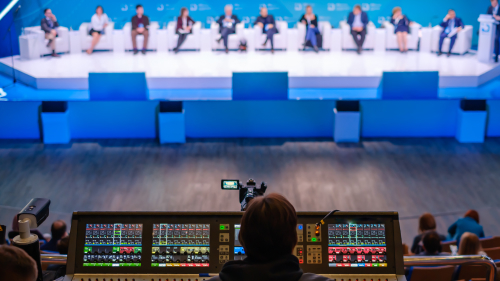

.avif "Corporate Communications 2027: Agentic AI Webinar")