

Glitch-free enterprise livestreams: best practices for event managers
Communication that makes an impact
Glitch-free enterprise livestreams: best practices for event managers
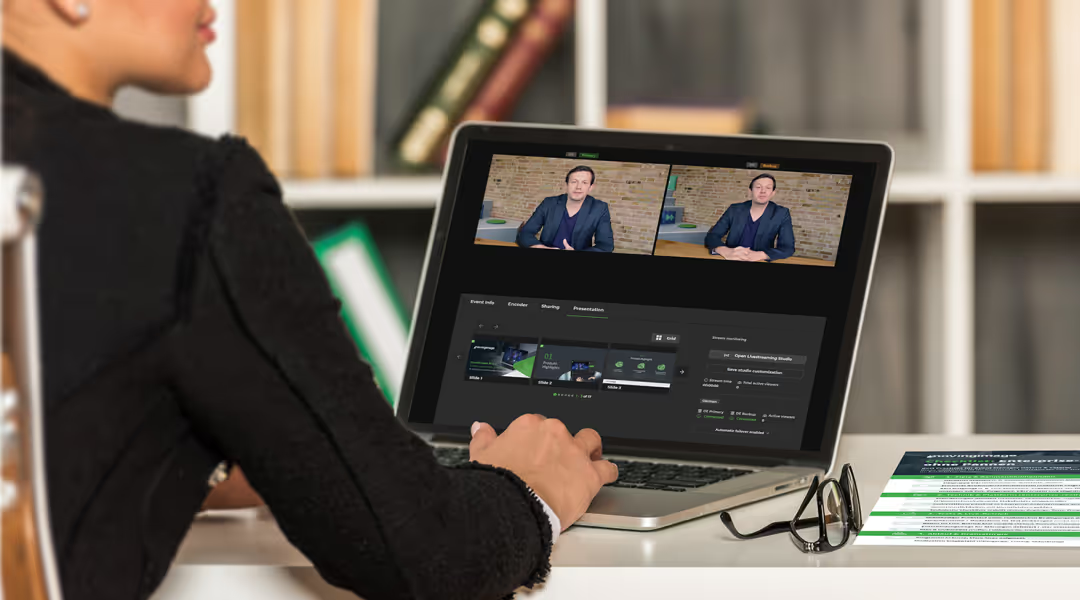
Livestreaming is now a standard part of the event mix in large organizations. Whether it’s a town hall, product launch, or customer event, responsibility for planning, run of show, and overall quality often sits with event managers—or similar roles.
That said, depending on the team setup and organizational structure, this responsibility isn’t always owned by “classic” event managers alone. Communications, marketing, or digital teams may lead instead. Regardless of job title, the challenges are the same: limited attention spans, high expectations for quality, and complex stakeholder alignment.
The best practices below focus on the areas that typically need to be planned, actively managed, or at least clearly coordinated to make enterprise livestreams work.
Common enterprise livestream pitfalls (and how event managers can avoid them)
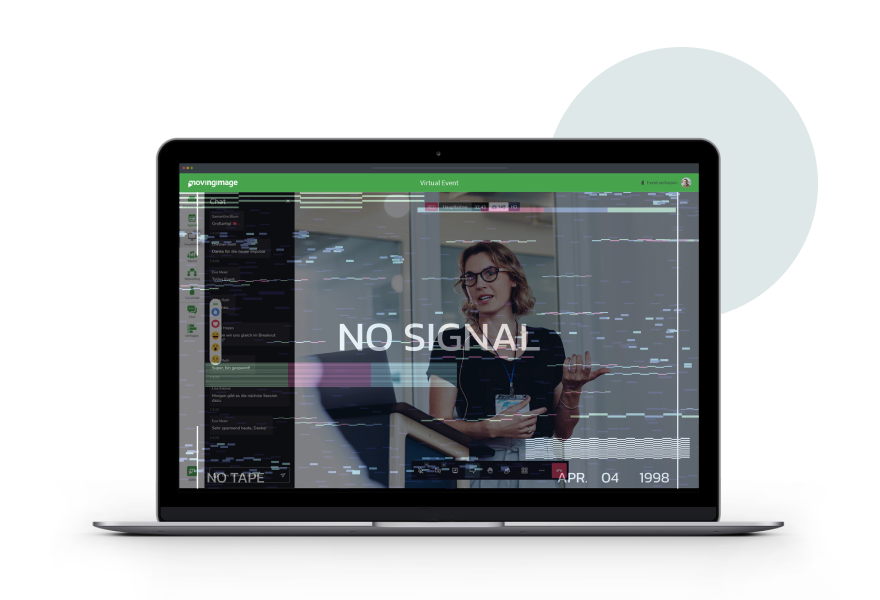
Enterprise livestreams rarely fail because of one single technical issue. In reality, problems usually happen when planning, responsibilities, and expectation management don’t line up properly. That’s exactly where event managers have the biggest impact. Spotting common pitfalls early saves time, reduces stress during the live show, and creates a more professional experience overall.
Starting too late
Livestreams are often treated like traditional in-person events. As a result, technical requirements, rehearsals, and stakeholder alignment are addressed too late. In an enterprise environment—with multiple teams involved—this can backfire quickly.
Not assigning clear responsibilities
Who runs the show? Who owns the technical setup? Who moderates questions from the chat? Who monitors the stream and signal quality? If these roles aren’t clearly assigned, delays and uncertainty are almost guaranteed once you’re live.
Not adapting content for livestream
Long presentations, little variation, and missing moderation can work on-site—but often fall flat in a livestream. Online attention drops much faster, especially for internal events where people aren’t “locked into the room.”
Not testing enough
Rehearsals are often underestimated or reduced to the bare minimum. But they’re essential to test the technology, speakers, and the full run of show under realistic conditions.
Underestimating enterprise requirements
Livestreaming tools are often chosen based on marketing or consumer-style criteria. But for enterprise events, that’s rarely enough. Access control, stability at high viewer numbers, data protection, and integration into existing systems often become critical—sometimes too late in the process.
Event managers don’t need to implement these requirements themselves, but they should identify and address them early to avoid bigger issues later on.
Skipping follow-up
The livestream ends and the project is considered “done.” But valuable opportunities—like on-demand viewing, internal communication, and performance analysis—are left unused.
Best practice for event managers:
Treat livestreams as a dedicated event format from the start, with clear goals, defined roles, and reliable processes.
Most of these issues don’t happen during the livestream itself—they’re created in the planning phase. When goals and parameters are clarified early, you set the foundation for a stable, high-impact livestream.
Set clear goals and parameters

Many decisions around technology, run of show, and content only make sense if the livestream goals are clearly defined. For event managers, that means creating alignment early—so everyone involved is working toward the same outcome.
Set clear livestream goals
Every enterprise livestream should have one primary objective. Is the goal to inform, motivate employees, showcase a product, or encourage dialogue? Trying to achieve too many goals at once often leads to diluted content and unclear priorities.
Clarify your audience
Internal and external audiences come with different expectations, technical setups, and attention spans. Even within one organization, it’s worth distinguishing between leadership, employees, or international locations. This impacts everything from tone and interaction to security requirements.
Plan realistically for reach
Expected attendance is a key factor in how your livestream needs to be set up technically. Event managers should estimate early how many people will join live—and whether the stream should also be available on demand afterwards. This directly affects platform selection, support needs, and stability planning.
Make success measurable
Without clear criteria, it’s hard to know whether a livestream was actually successful. Define relevant KPIs early in the planning phase—such as live attendance, interaction rates, or on-demand views—so you can evaluate results objectively and improve over time.
Practical tip:
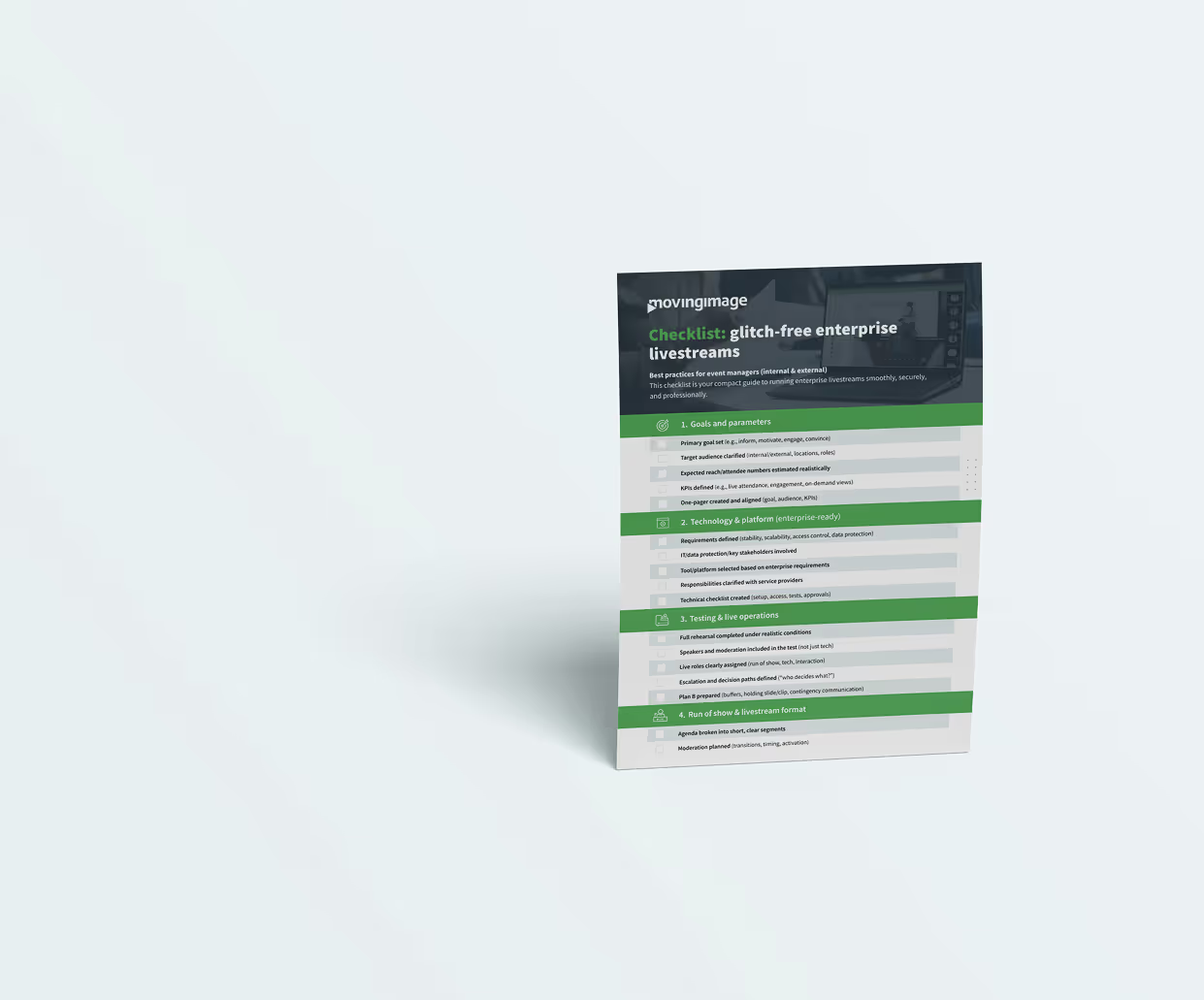
Capture goals, target audience, and KPIs in a short one-pager. It creates clarity and makes alignment with IT, communications, and other stakeholders much easier.
Manage technology and platform setup (even if you’re not a technician)
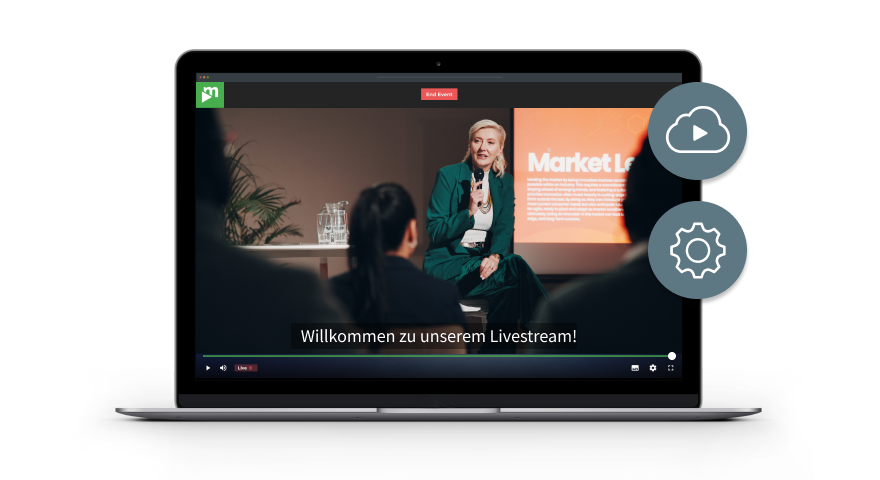
Even if event managers don’t usually handle the technical execution themselves, they are still responsible for making sure the technology and platform meet the livestream’s requirements. In an enterprise environment, clear coordination is essential to reduce risks and avoid last-minute surprises.
Define requirements early
Stability, scalability, access control, and data protection aren’t “nice-to-haves”—they’re the foundation of enterprise livestreams. Event managers should spell out these requirements from the start and include them in the planning process. A short requirements list that event, IT, and service providers can review together is especially helpful before finalizing the tool selection and technical setup.
Plan alignment with IT and service providers
In large organizations, livestreams are rarely standalone projects. IT, data protection teams, internal communications, and external service providers are often involved. Aligning early helps uncover dependencies, secure approvals, and prevent delays later on.
Schedule tests and rehearsals as non-negotiable
Test runs aren’t optional. They make it possible to check the technology, the content, and the speakers under realistic conditions. Event managers should make sure rehearsals cover not only the technical side, but also the full content flow.
Define live operations processes
When something goes wrong, everyone needs to know who makes decisions. Who monitors the livestream? Who reacts to technical issues? Who communicates with speakers or the audience? These processes should be defined in advance and shared with everyone involved.
Practical tip:
A simple technical checklist with requirements, responsibilities, and approvals helps event managers keep even complex setups under control.
Run of show and storytelling: livestreams aren’t just in-person events on camera

A livestream isn’t a live event with a camera added—and that’s one of the most common mistakes teams make. To make content work digitally, event managers need to adapt the run of show, timing, and overall structure to fit the format.
Plan a compact, varied agenda
What works on stage for a long time can feel slow and repetitive in a livestream. Shorter segments, clear thematic blocks, and intentional shifts in pacing help keep audiences engaged—especially in internal events, where distractions are always just one browser tab away.
Use moderation as your steering wheel
Strong moderation is often even more important in a livestream than it is in a room. A moderator keeps time, creates smooth transitions, and actively guides the audience through the program. For event managers, moderation isn’t a “nice-to-have”—it’s a key driver of flow and professionalism.
Use visuals with purpose
Slides alone often aren’t enough, especially for longer formats. Video inserts, lower thirds, or short visual transitions improve clarity and add energy. The goal isn’t “more show”—it’s to support the message and keep things easy to follow.
Prepare speakers—especially leadership
Even experienced speakers aren’t automatically confident in a livestream setting. A short briefing on timing, key messages, interaction, and on-camera behavior can make a big difference. Event managers should also ensure speakers know how to handle pauses, follow-up questions, or unexpected technical delays.
Build in buffers and a Plan B
Livestreams are live, which means they’re never 100% predictable. Small time buffers, defined transition moments, and prepared “filler” content (such as a holding slide or short clip) help reduce stress during the live show.
Practical tip:
A detailed run sheet with timestamps, responsibilities, and transitions is one of the most valuable tools for event managers—and should be available to everyone involved.
Use interaction intentionally—but keep it under control
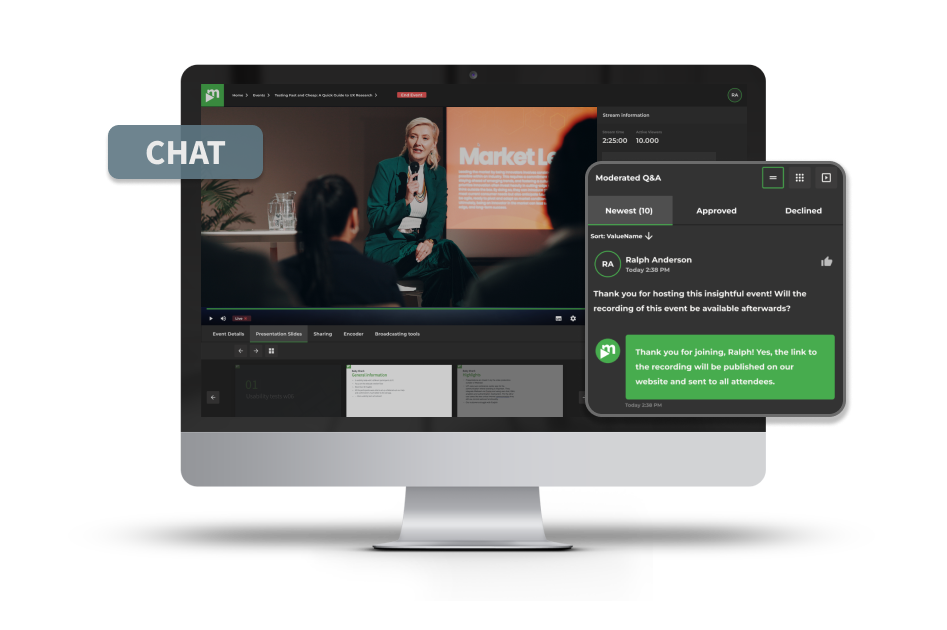
Interactive elements often make the difference between a livestream that’s simply “broadcast” and one that actually creates impact. At the same time, interaction can quickly feel chaotic if it isn’t moderated and managed clearly. That’s where strong event management matters.
Choose interaction formats intentionally
Not every event needs chat, Q&A, polls, and live reactions all at once. Event managers should select formats based on the goal of the livestream:
- Q&A, when dialogue and transparency matter
- Polls, when quick input or activation is the priority
- Chat, when you want low-barrier participation
Define roles and responsibilities clearly
Interaction only works when ownership is clear. Who moderates the livestream? Who monitors the chat? Who collects questions and passes them on? Without defined roles, delays and awkward moments can easily happen during the live show.
Set expectations for participants
Audiences should know how interaction will work: When is the Q&A scheduled? Are questions anonymous? Will someone moderate the discussion? Especially for internal events, a clear framework helps employees feel more comfortable and encourages participation.
Moderate interaction instead of letting it run wild
An open chat may sound like higher engagement—but it can become confusing fast. Event managers should ensure interaction is moderated: cluster questions, prioritize them, and feed them to speakers in a structured way.
For Q&A segments, it’s also smart to prepare 2–3 backup questions in advance—typical questions or topics that usually come up internally. This allows the moderator to kick off Q&A professionally, even if the audience doesn’t submit questions right away.
Plan internal and external events differently
External livestreams often focus on brand impact and professionalism. Internal formats tend to be more sensitive and personal. Interaction should be tailored to the audience—both in tone and in how it’s moderated and safeguarded.
Practical tip:
Less interaction, well managed, feels far more professional—and usually delivers better results than an “everything is open” approach.
Security, data protection, and access in enterprise livestreams
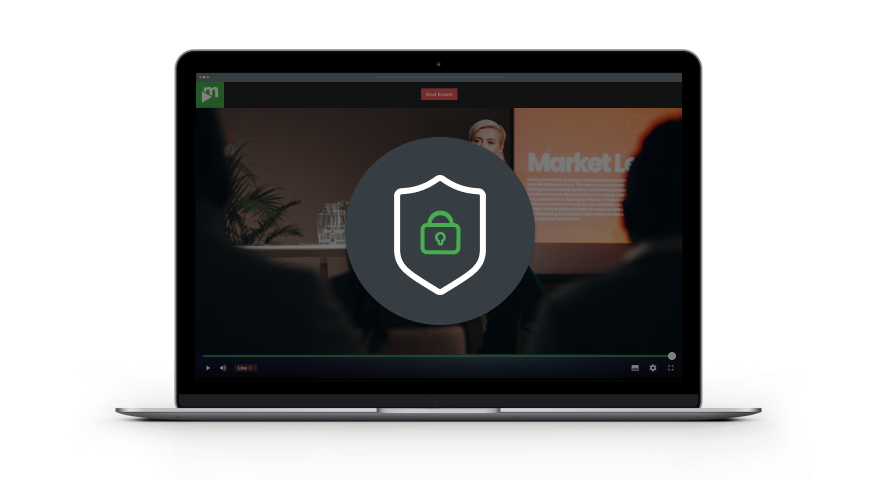
Security isn’t a minor “IT detail” in enterprise livestreaming—it’s a core part of event planning. Especially for internal events or sensitive topics, event managers need to ensure access, data protection, and approvals are handled properly.
Clarify access rights early
From the very beginning, it should be clear who is allowed to watch the livestream—and who isn’t. Internal town halls, confidential updates, or stakeholder formats require very different access setups than external events or public streams.
Keep internal and external streams clearly separated
A common mistake is trying to deliver internal content through solutions designed mainly for public livestreaming. Event managers should consciously differentiate between internal and external formats and define the right security requirements for each. In many cases, that also means investing in professional enterprise solutions that reliably support access control, data protection, and stability.
Involve data protection and compliance teams
Whether it’s recording, chat, or participant data: enterprise livestreams often operate in a regulated environment. Event managers don’t need to assess every requirement alone—but they should involve the right stakeholders early (e.g., data protection, legal, IT security).
Document approvals and responsibilities
In larger organizations, livestream planning usually involves multiple approvals. Who is allowed to appear on camera? What content is approved? Is recording allowed? Clear documentation helps avoid misunderstandings and supports faster decision-making.
Practical tip:
Don’t leave security and data protection checks until the final days before going live. Planning these topics early prevents last-minute stops, delays, or rushed changes.
Follow-up: get more value from your livestream
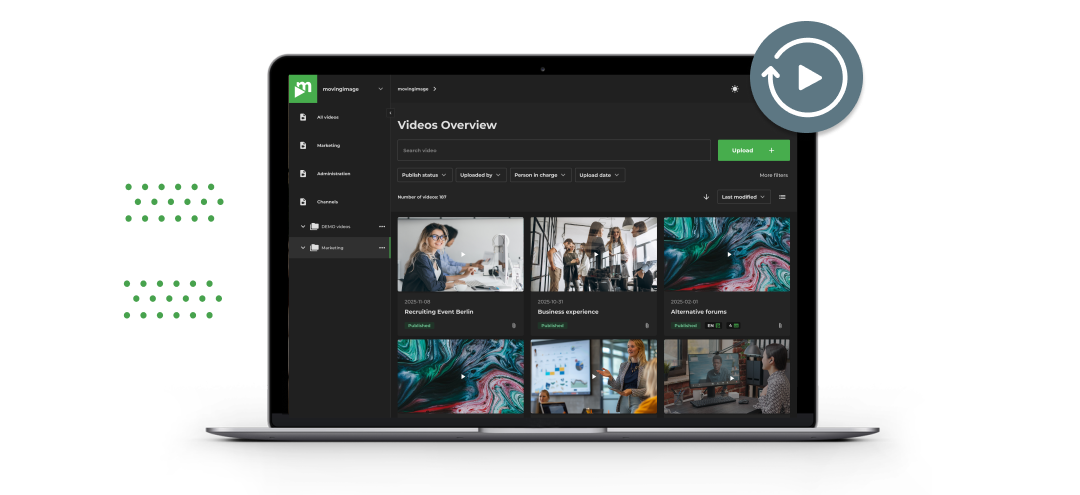
A livestream doesn’t end when the last agenda item is done. Especially in large organizations, a big part of the value comes afterwards—through internal communication, content reuse, and structured performance review.
Plan recording and on-demand access from the start
Many participants can’t join live, especially across international teams or when schedules overlap. Event managers should plan early whether the livestream will be recorded, how it will be made available afterwards, and how long the content should remain accessible.
Reuse content in a smart way
A livestream usually generates more valuable material than what’s visible in the moment. From the recording, you can create highlights, short clips, or topic-specific excerpts—ideal for internal updates, follow-up communication, or external reuse (depending on the format and approvals).
Review results instead of relying on gut feeling
Whether internal or external, performance review provides the foundation for better decisions in future events. Relevant metrics can vary depending on the event type—what matters is that they align with the livestream’s objectives.
Collect feedback and capture learnings
Short, focused feedback helps uncover blind spots. At the same time, event managers should document key learnings: What worked well? Where did friction appear? What should be adjusted next time?
Practical tip:
A simple follow-up routine (e.g., KPI review + lessons learned) makes livestreams more efficient over time—and ensures every event improves the next one.
Conclusion: make livestreaming a repeatable process
Successful enterprise livestreams don’t happen by chance. They’re built on clear goals, structured planning, and consistent execution—whether you’re running internal town halls, hybrid events, or external corporate livestreams. If you’d like to dive deeper, check out our Comprehensive guide to enterprise livestreaming 2026.
Event managers who treat livestreaming as a repeatable process reduce risk, increase quality, and create a format that becomes more efficient over time. With the right best practices in place, livestreaming turns into a reliable part of modern enterprise events.
.avif)

.avif)
Our Speakers
Livestreaming is now a standard part of the event mix in large organizations. Whether it’s a town hall, product launch, or customer event, responsibility for planning, run of show, and overall quality often sits with event managers—or similar roles.
That said, depending on the team setup and organizational structure, this responsibility isn’t always owned by “classic” event managers alone. Communications, marketing, or digital teams may lead instead. Regardless of job title, the challenges are the same: limited attention spans, high expectations for quality, and complex stakeholder alignment.
The best practices below focus on the areas that typically need to be planned, actively managed, or at least clearly coordinated to make enterprise livestreams work.
Common enterprise livestream pitfalls (and how event managers can avoid them)
Enterprise livestreams rarely fail because of one single technical issue. In reality, problems usually happen when planning, responsibilities, and expectation management don’t line up properly. That’s exactly where event managers have the biggest impact. Spotting common pitfalls early saves time, reduces stress during the live show, and creates a more professional experience overall.
Starting too late
Livestreams are often treated like traditional in-person events. As a result, technical requirements, rehearsals, and stakeholder alignment are addressed too late. In an enterprise environment—with multiple teams involved—this can backfire quickly.
Not assigning clear responsibilities
Who runs the show? Who owns the technical setup? Who moderates questions from the chat? Who monitors the stream and signal quality? If these roles aren’t clearly assigned, delays and uncertainty are almost guaranteed once you’re live.
Not adapting content for livestream
Long presentations, little variation, and missing moderation can work on-site—but often fall flat in a livestream. Online attention drops much faster, especially for internal events where people aren’t “locked into the room.”
Not testing enough
Rehearsals are often underestimated or reduced to the bare minimum. But they’re essential to test the technology, speakers, and the full run of show under realistic conditions.
Underestimating enterprise requirements
Livestreaming tools are often chosen based on marketing or consumer-style criteria. But for enterprise events, that’s rarely enough. Access control, stability at high viewer numbers, data protection, and integration into existing systems often become critical—sometimes too late in the process.
Event managers don’t need to implement these requirements themselves, but they should identify and address them early to avoid bigger issues later on.
Skipping follow-up
The livestream ends and the project is considered “done.” But valuable opportunities—like on-demand viewing, internal communication, and performance analysis—are left unused.
Best practice for event managers:
Treat livestreams as a dedicated event format from the start, with clear goals, defined roles, and reliable processes.
Most of these issues don’t happen during the livestream itself—they’re created in the planning phase. When goals and parameters are clarified early, you set the foundation for a stable, high-impact livestream.
Set clear goals and parameters
Many decisions around technology, run of show, and content only make sense if the livestream goals are clearly defined. For event managers, that means creating alignment early—so everyone involved is working toward the same outcome.
Set clear livestream goals
Every enterprise livestream should have one primary objective. Is the goal to inform, motivate employees, showcase a product, or encourage dialogue? Trying to achieve too many goals at once often leads to diluted content and unclear priorities.
Clarify your audience
Internal and external audiences come with different expectations, technical setups, and attention spans. Even within one organization, it’s worth distinguishing between leadership, employees, or international locations. This impacts everything from tone and interaction to security requirements.
Plan realistically for reach
Expected attendance is a key factor in how your livestream needs to be set up technically. Event managers should estimate early how many people will join live—and whether the stream should also be available on demand afterwards. This directly affects platform selection, support needs, and stability planning.
Make success measurable
Without clear criteria, it’s hard to know whether a livestream was actually successful. Define relevant KPIs early in the planning phase—such as live attendance, interaction rates, or on-demand views—so you can evaluate results objectively and improve over time.
Practical tip:
Capture goals, target audience, and KPIs in a short one-pager. It creates clarity and makes alignment with IT, communications, and other stakeholders much easier.
Manage technology and platform setup (even if you’re not a technician)
Even if event managers don’t usually handle the technical execution themselves, they are still responsible for making sure the technology and platform meet the livestream’s requirements. In an enterprise environment, clear coordination is essential to reduce risks and avoid last-minute surprises.
Define requirements early
Stability, scalability, access control, and data protection aren’t “nice-to-haves”—they’re the foundation of enterprise livestreams. Event managers should spell out these requirements from the start and include them in the planning process. A short requirements list that event, IT, and service providers can review together is especially helpful before finalizing the tool selection and technical setup.
Plan alignment with IT and service providers
In large organizations, livestreams are rarely standalone projects. IT, data protection teams, internal communications, and external service providers are often involved. Aligning early helps uncover dependencies, secure approvals, and prevent delays later on.
Schedule tests and rehearsals as non-negotiable
Test runs aren’t optional. They make it possible to check the technology, the content, and the speakers under realistic conditions. Event managers should make sure rehearsals cover not only the technical side, but also the full content flow.
Define live operations processes
When something goes wrong, everyone needs to know who makes decisions. Who monitors the livestream? Who reacts to technical issues? Who communicates with speakers or the audience? These processes should be defined in advance and shared with everyone involved.
Practical tip:
A simple technical checklist with requirements, responsibilities, and approvals helps event managers keep even complex setups under control.
Run of show and storytelling: livestreams aren’t just in-person events on camera
A livestream isn’t a live event with a camera added—and that’s one of the most common mistakes teams make. To make content work digitally, event managers need to adapt the run of show, timing, and overall structure to fit the format.
Plan a compact, varied agenda
What works on stage for a long time can feel slow and repetitive in a livestream. Shorter segments, clear thematic blocks, and intentional shifts in pacing help keep audiences engaged—especially in internal events, where distractions are always just one browser tab away.
Use moderation as your steering wheel
Strong moderation is often even more important in a livestream than it is in a room. A moderator keeps time, creates smooth transitions, and actively guides the audience through the program. For event managers, moderation isn’t a “nice-to-have”—it’s a key driver of flow and professionalism.
Use visuals with purpose
Slides alone often aren’t enough, especially for longer formats. Video inserts, lower thirds, or short visual transitions improve clarity and add energy. The goal isn’t “more show”—it’s to support the message and keep things easy to follow.
Prepare speakers—especially leadership
Even experienced speakers aren’t automatically confident in a livestream setting. A short briefing on timing, key messages, interaction, and on-camera behavior can make a big difference. Event managers should also ensure speakers know how to handle pauses, follow-up questions, or unexpected technical delays.
Build in buffers and a Plan B
Livestreams are live, which means they’re never 100% predictable. Small time buffers, defined transition moments, and prepared “filler” content (such as a holding slide or short clip) help reduce stress during the live show.
Practical tip:
A detailed run sheet with timestamps, responsibilities, and transitions is one of the most valuable tools for event managers—and should be available to everyone involved.
Use interaction intentionally—but keep it under control
Interactive elements often make the difference between a livestream that’s simply “broadcast” and one that actually creates impact. At the same time, interaction can quickly feel chaotic if it isn’t moderated and managed clearly. That’s where strong event management matters.
Choose interaction formats intentionally
Not every event needs chat, Q&A, polls, and live reactions all at once. Event managers should select formats based on the goal of the livestream:
- Q&A, when dialogue and transparency matter
- Polls, when quick input or activation is the priority
- Chat, when you want low-barrier participation
Define roles and responsibilities clearly
Interaction only works when ownership is clear. Who moderates the livestream? Who monitors the chat? Who collects questions and passes them on? Without defined roles, delays and awkward moments can easily happen during the live show.
Set expectations for participants
Audiences should know how interaction will work: When is the Q&A scheduled? Are questions anonymous? Will someone moderate the discussion? Especially for internal events, a clear framework helps employees feel more comfortable and encourages participation.
Moderate interaction instead of letting it run wild
An open chat may sound like higher engagement—but it can become confusing fast. Event managers should ensure interaction is moderated: cluster questions, prioritize them, and feed them to speakers in a structured way.
For Q&A segments, it’s also smart to prepare 2–3 backup questions in advance—typical questions or topics that usually come up internally. This allows the moderator to kick off Q&A professionally, even if the audience doesn’t submit questions right away.
Plan internal and external events differently
External livestreams often focus on brand impact and professionalism. Internal formats tend to be more sensitive and personal. Interaction should be tailored to the audience—both in tone and in how it’s moderated and safeguarded.
Practical tip:
Less interaction, well managed, feels far more professional—and usually delivers better results than an “everything is open” approach.
Security, data protection, and access in enterprise livestreams
Security isn’t a minor “IT detail” in enterprise livestreaming—it’s a core part of event planning. Especially for internal events or sensitive topics, event managers need to ensure access, data protection, and approvals are handled properly.
Clarify access rights early
From the very beginning, it should be clear who is allowed to watch the livestream—and who isn’t. Internal town halls, confidential updates, or stakeholder formats require very different access setups than external events or public streams.
Keep internal and external streams clearly separated
A common mistake is trying to deliver internal content through solutions designed mainly for public livestreaming. Event managers should consciously differentiate between internal and external formats and define the right security requirements for each. In many cases, that also means investing in professional enterprise solutions that reliably support access control, data protection, and stability.
Involve data protection and compliance teams
Whether it’s recording, chat, or participant data: enterprise livestreams often operate in a regulated environment. Event managers don’t need to assess every requirement alone—but they should involve the right stakeholders early (e.g., data protection, legal, IT security).
Document approvals and responsibilities
In larger organizations, livestream planning usually involves multiple approvals. Who is allowed to appear on camera? What content is approved? Is recording allowed? Clear documentation helps avoid misunderstandings and supports faster decision-making.
Practical tip:
Don’t leave security and data protection checks until the final days before going live. Planning these topics early prevents last-minute stops, delays, or rushed changes.
Follow-up: get more value from your livestream
A livestream doesn’t end when the last agenda item is done. Especially in large organizations, a big part of the value comes afterwards—through internal communication, content reuse, and structured performance review.
Plan recording and on-demand access from the start
Many participants can’t join live, especially across international teams or when schedules overlap. Event managers should plan early whether the livestream will be recorded, how it will be made available afterwards, and how long the content should remain accessible.
Reuse content in a smart way
A livestream usually generates more valuable material than what’s visible in the moment. From the recording, you can create highlights, short clips, or topic-specific excerpts—ideal for internal updates, follow-up communication, or external reuse (depending on the format and approvals).
Review results instead of relying on gut feeling
Whether internal or external, performance review provides the foundation for better decisions in future events. Relevant metrics can vary depending on the event type—what matters is that they align with the livestream’s objectives.
Collect feedback and capture learnings
Short, focused feedback helps uncover blind spots. At the same time, event managers should document key learnings: What worked well? Where did friction appear? What should be adjusted next time?
Practical tip:
A simple follow-up routine (e.g., KPI review + lessons learned) makes livestreams more efficient over time—and ensures every event improves the next one.
Conclusion: make livestreaming a repeatable process
Successful enterprise livestreams don’t happen by chance. They’re built on clear goals, structured planning, and consistent execution—whether you’re running internal town halls, hybrid events, or external corporate livestreams. If you’d like to dive deeper, check out our Comprehensive guide to enterprise livestreaming 2026.
Event managers who treat livestreaming as a repeatable process reduce risk, increase quality, and create a format that becomes more efficient over time. With the right best practices in place, livestreaming turns into a reliable part of modern enterprise events.
Our Speakers
Voices from our customers





.avif)